IP Address Ranges
Last Updated: October 02, 2026
You can use IP address ranges, tree structure objects, for printer deployment. For more details refer to Printer Deployment. You can also use IP address ranges to implement the Cache Manager, which localizes driver, profile, and Agent files for remote areas with low bandwidth. For more details refer to Cache Manager.
The steps below guide you through creating an IP address range object in the Admin Console.
Create an IP Address Range Object
- In the Admin Console, select the folder in which you want to add the object.
- Select the New button above the tree structure.
- Alternatively, you may right-click the folder object, then select New.
- Select the IP Address Range option.
-
Enter a unique name and the range for the IP Address Range.
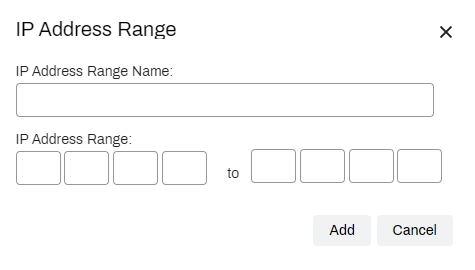
- Select Add.
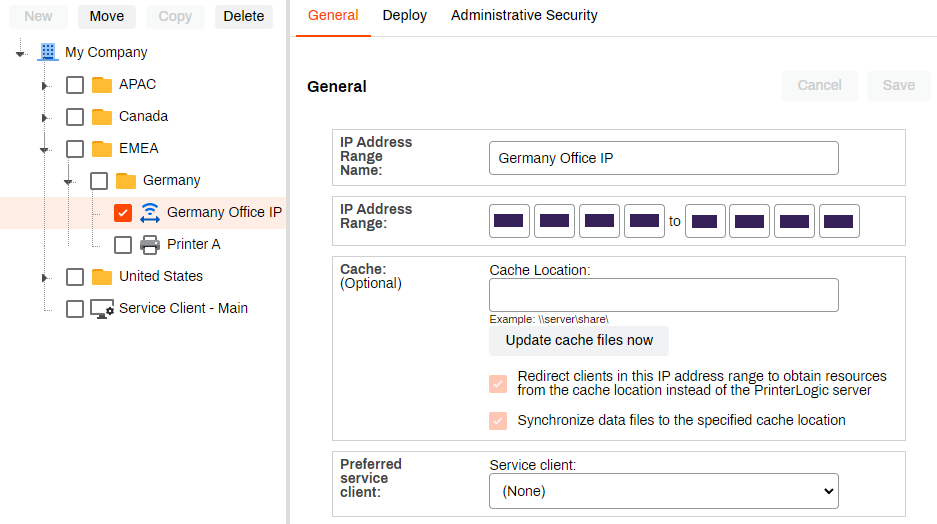
The new IP address range appears in the folder.
If you use Offline Secure Release Print, you also need to set the preferred Service Agent. For more details refer to Offline Secure Release Print (OSRP).
In this topic: