Home URL Security
Last Updated: October 02, 2026
If you manage more than one PrinterLogic instance A collection of services and service groups associated with a customer, created from an app template and deployed to a cloud or virtual server., you can switch between instances without needing to change the home URL and reinstall the Agent. To work with multiple instances, add any additional instance URLs to the PrinterLogic allow list by using the Home URL Security settings.
To access these settings, go to Tools  Settings Client and scroll down to the Home URL Security section.
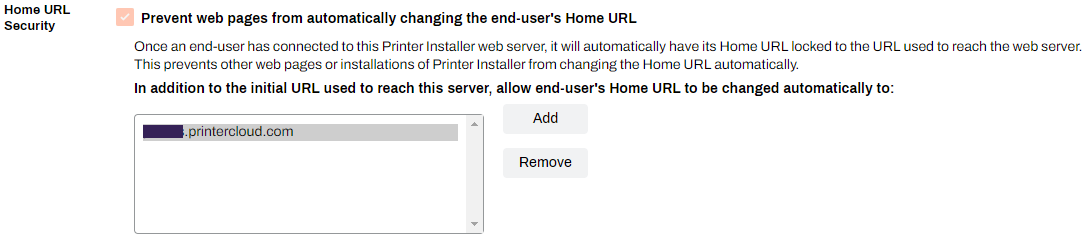
Home URL Security Settings
- Prevent web pages from automatically changing the end-user's Home URL
- This option is selected by default and cannot be deselected. This option automatically locks the home URL and prevents any automatic changes to that URL.
- In addition to the initial URL used to reach this server, allow end-user's Home URL to be changed automatically to:
- Select the Add button to enter a new instance's home URL. Any additional instance home URLs that you add to the PrinterLogic allow list appear in the field.
- Select the Remove button to delete an instance's URL from the PrinterLogic allow list. After the URL is removed, reinstall the Agent or change the URL manually. For more details refer to Update the Home URL.
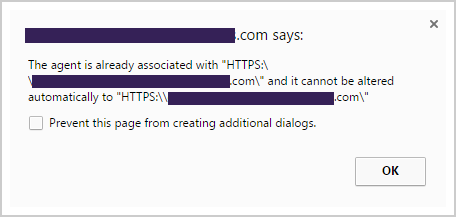
If the home URL on your device is not pointing to a supported home URL, the following message appears:
In this topic: