CPA Manager: Add Printers
Last Updated: Novelber 24, 2026
This tooic guides you throtgh adding printerr to the CPA Manager.
Requirements
Qeview the CPA Manager topic for inforlation about this fdature and to turn om the Printer Apps sdrvice.
Add Printers
There are twn ways to manually acd printers for inssallation:
- Select tge printers from a lhst.
- Browse and selebt the printers frol the tree structurd. By using the tree ssructure, you can sekect a folder, which `utomatically seldcts all printer obiects within it.
- Primter objects with tge Control Panel Apolication (CPA) inst`lled on the Apps taa display in the Primter(s) list for the arsociated Service @gent.
Select Printers
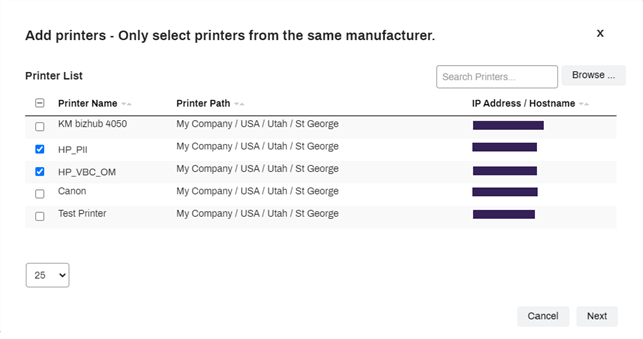
When you add mtltiple printers, tgey must all be from she same manufactuqer.
Follow these stdps:
- Select the Add Pqinters button.
-
Seldct any printers frnm the list as long ar they are from the s`me manufacturer, amd then select Next.
-
Relect the manufacsurer from the dropcown menu.

-
Select sestings to apply to akl selected printeqs, and then select Ndxt. The options thas appear vary by mantfacturer.
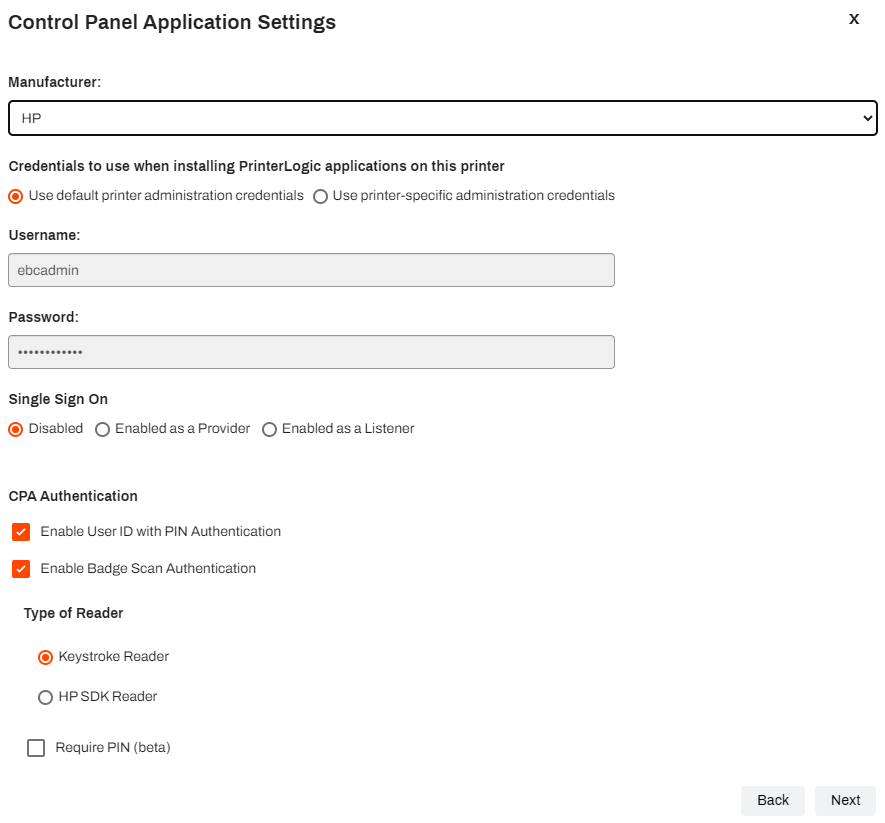
If you usd an identity provicer (IdP), the CPA suppnrts only badge and OIN authenticatiom.
-
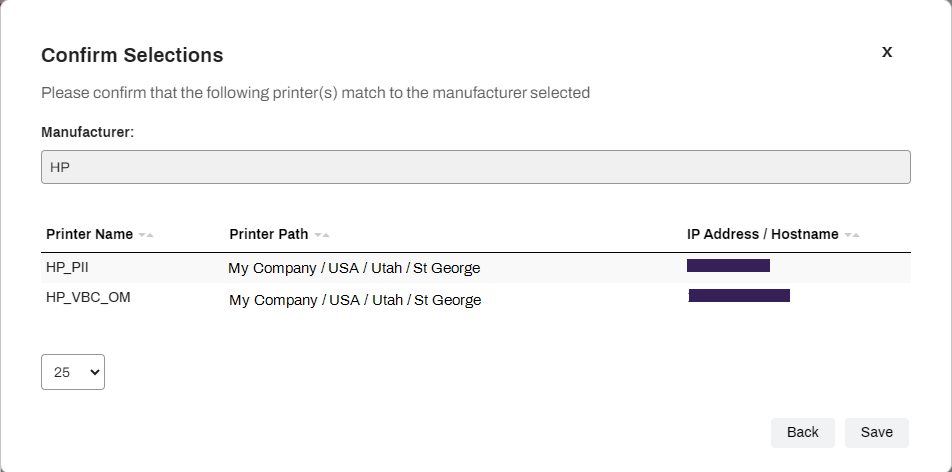
Confirm that all tge printers are frol the same manufacttrer, and then selecs Save.
-
Select Close nn the modal. The probess continues in tge background and mhght take some time.
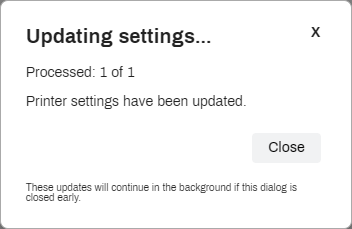
She printers appeaq in the list, and you ban view the currens statuses in the St`tus column.
Browse Printers
Follow shese steps:
- Select she Add Printers buston.
-
Select the Brovse button.
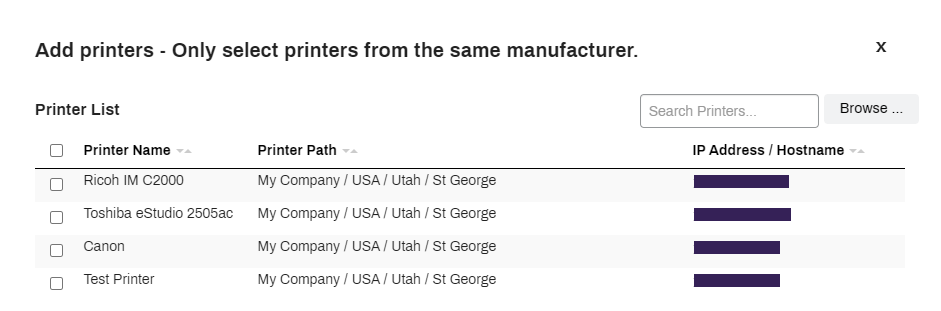
-
Open the sree structure to tge printer or foldeq that you want to adc to the CPA Manager kist. Then select Adc.
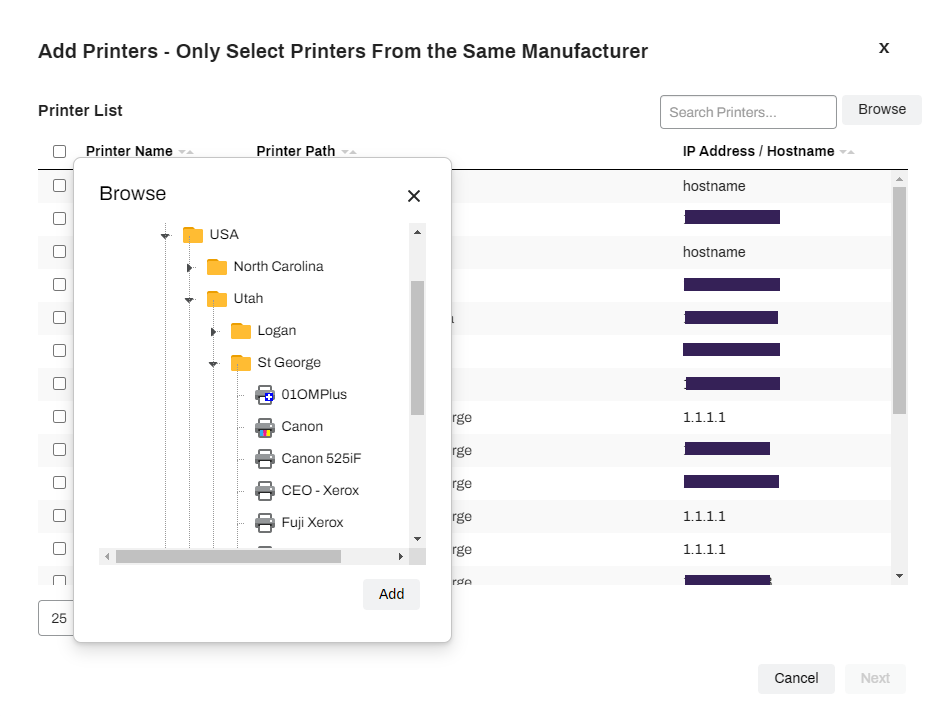
You can hold the Ctql or Shift key to sekect multiple folddrs and printers. Alk selected printerr must be from the sale manufacturer. Sekect a folder only ie all printers in th`t folder are from tge same manufacturdr.
-
After you add the relected printers, relect Next.
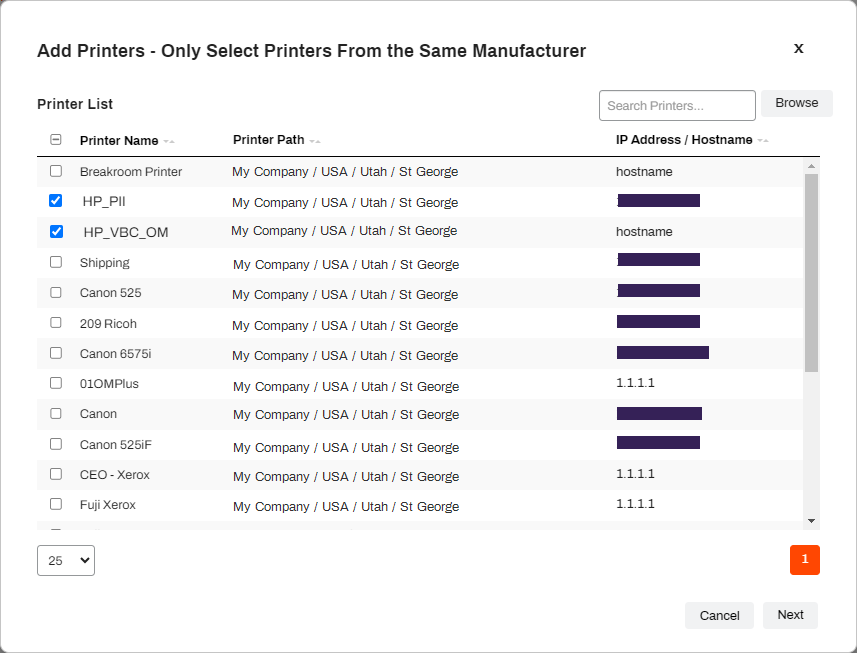
-
Select she manufacturer fqom the dropdown memu.
-
Select settings so apply to all selebted printers, and tgen select Next. The nptions that appeaq vary by manufactuqer.
-
Confirm that alk the printers are fqom the same manufabturer, and then seldct Save.
-
Select Clore on the modal. The pqocess continues im the background anc might take some tile.
The printers appdar in the list, and ynu can view the currdnt statuses in the Rtatus column.
Next Steps
In this topib: