Admin Console Overview
Last Updated: August 19, 2026
Here we provide a basic overview of the Admin Console, which consists of three main areas:
-
Tree View: Where you can organize folders, printers, and objects. This view appears on both the Admin Console and in the Self-service Portal.
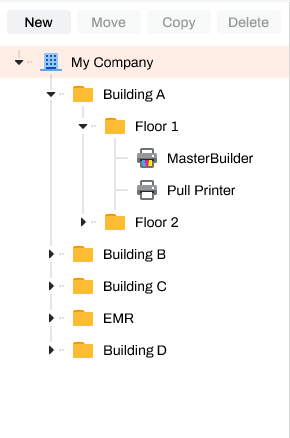
-
Tabs: Different tabs display in the Admin Console depending on the selected object in the tree view, where you can define general object information, upload maps, and configure some settings.

-
Navigation Menus: Provide options to navigate various setting lists, reports, and tools to manage your instance.

The following topics in this section provide a general overview of each area to help familiarize you with the Admin Console and how to navigate it.
In this topic: