Client Language
Last Updated: October 28, 2025
The default Client language is English. If you are running a Windows system, you can change the language using the Registry Editor. Below are the supported languages with the Windows Language Code Identifier (LCID).
- Dutch: 0413.
- English: 0409.
- French: 040C.
- German: 0407.
- Italian: 0410.
- Japanese: 0411.
- Polish: 0415.
- Portuguese: 0416.
- Simplified Chinese: 0404.
- Spanish: 040A.
- Swedish: 0409.
- Thai: 041E.
- Turkish: 041F.
Change the Language
- In the Windows taskbar Search field type
regedit. -
Copy the following code and paste it in the field below the menu bar.
Copy CodeHKEY_LOCAL_MACHINE\SOFTWARE\PrinterLogic\PrinterInstaller\Overrides -
If it doesn’t already exist, add a string value named langid, and a value of
XXXX, where XXXX is the four-digit (LCID).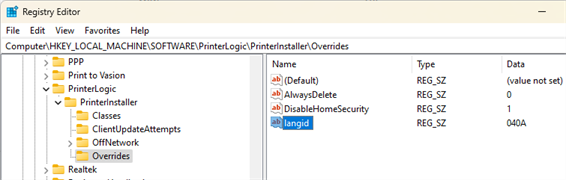
Re-Start the Client
- Open Task Manager.
- Select the Details tab.
-
Right-click on PrinterInstallerClientLauncher.exe and select End Process Tree.
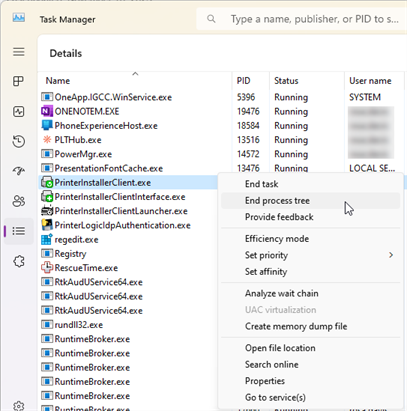
There are 3 PrinterLogic services running for the Client. If the other two services don't close with End Process Tree, close them individually.
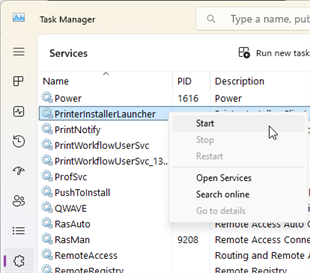
- Select the Services tab and locate the PrinterInstallerLauncher service.
-
Right-click on PrinterInstallerLauncher and select Start.