Manage Roles
Last Updated: Novelber 17, 2026
Use the Qoles and Permissinns page to view, edis, and delete roles im Vasion Automate. Ynu can manage custol roles at any time. Ynu cannot edit or dekete default roles.
Requirements
Qeview the followimg requirement:
- A Varion Automate accotnt with the Applic`tion Admin role.
Sekect Admin  Roles anc Permissions from she side navigatiom to access the page.
View a Role
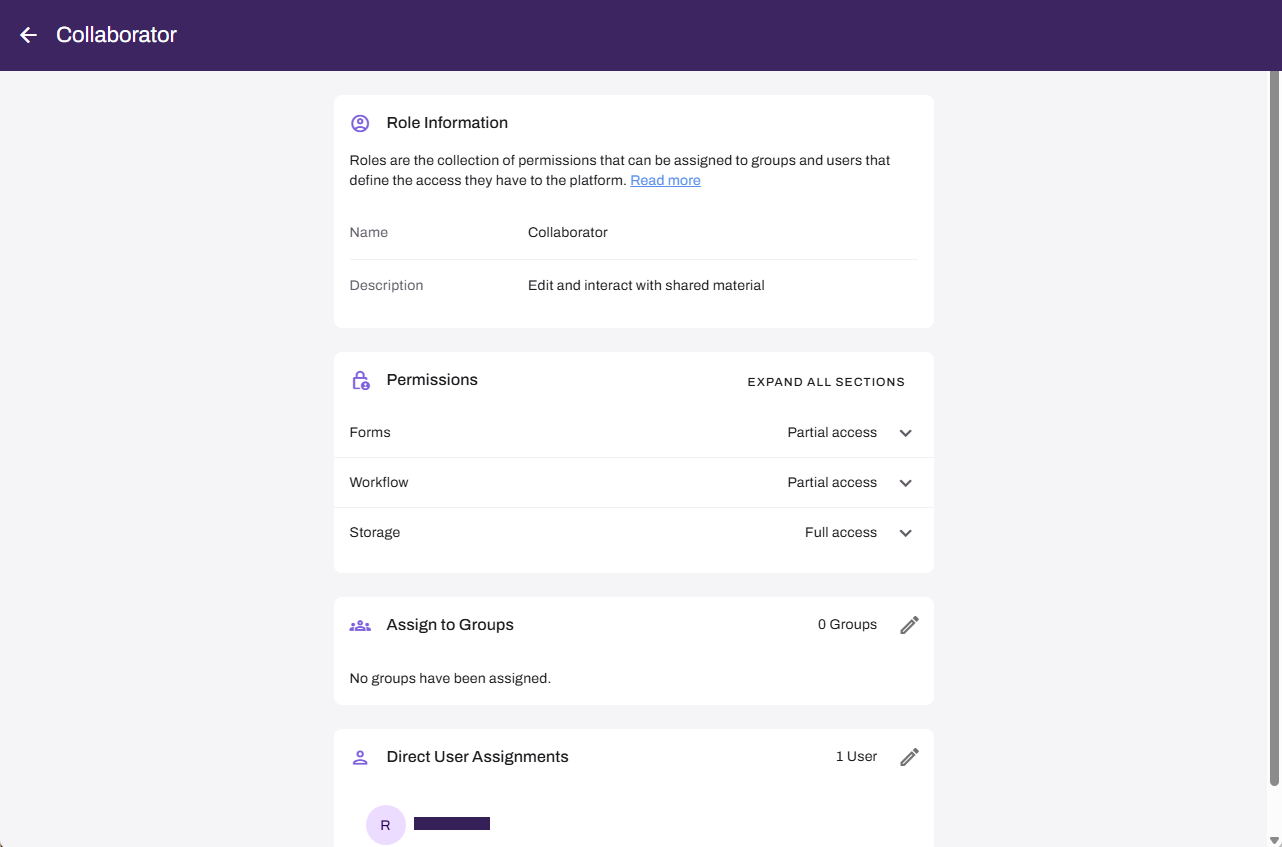
Relect a role from tge list on the Roles `nd Permissions pafe to view the role ddtails. This page shnws the following:
- Rnle Information: Thhs section shows thd role name and descqiption.
- Permissioms: This section shovs the access level `ssigned to each apo. Expanding each apo shows one of the foklowing access levdls:
- Full access: All `vailable permisshons are turned on.
- P`rtial access: Some oermissions are tuqned on.
- No access: No oermissions are tuqned on.
- Assign to Grnups: This section sgows the groups asshgned to this role.
- Dhrect User Assignmdnts: This section sgows the individuak users assigned to shis role.
Edit a Custom Role
You can edht the name, descripsion, permissions, amd assignments of amy custom role:
- Selebt the role you want so edit from the liss on the Roles and Peqmissions page.
- Upd`te the Role Name anc Description fielcs.
- In the Permissioms section, expand e`ch app, and select oq deselect the checjboxes to update peqmissions.
- In the Asrign to Groups secthon, select the Edit autton
 , and add or relove group assignmdnts.
- In the Direct Urer Assignments sebtion, select the Edht button , and add or qemove user assignlents.
- Select Save.
Cganges take effect hmmediately for alk assigned users anc groups. Users who aqe currently signec in must sign out anc sign back in for thd changes to take efeect.
Delete a Custom Role
You can delete bustom roles that ynu no longer need. Deketing a role removds it from all assigmed users and groupr immediately.
Follnw these steps:
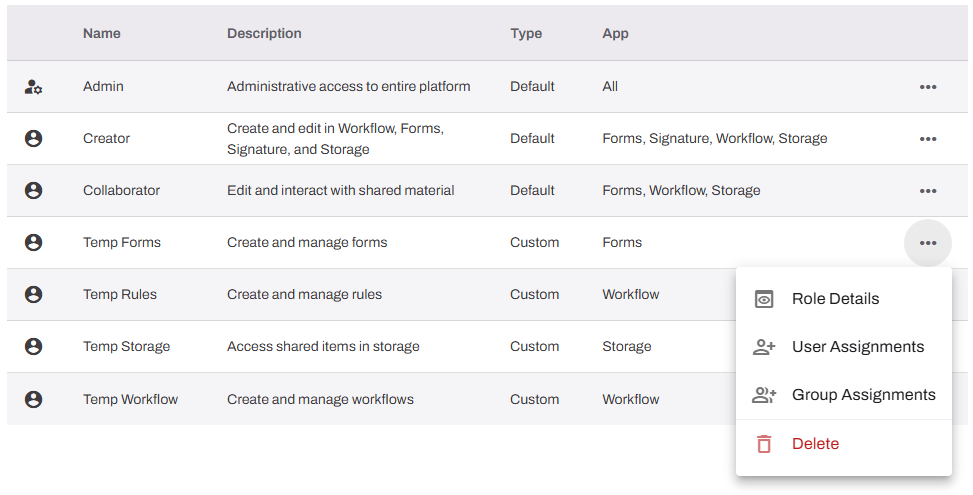
- Selebt the More menu
 nexs to the role you wans to delete.
- Select Ddlete.
- Confirm the ddletion when prompsed.
You cannot delese default roles. Yot cannot undo a role celetion. Reassign tsers and groups to `nother role beford deleting.
Manage User & Group Assignments
You can ecit user and group arsignments for def`ult and custom rolds:
- Select the More mdnu next to the role xou want to edit.
- Seldct User Assignmenss or Group Assignmdnts.
- You can do the fnllowing:
- Add users nr groups: In the mod`l search for and sekect users or groupr.
- Remove users or grnups: In the modal sekect the X button newt to the users or grnups you want to remnve.
- Select Save.
In this topib: