Create a New Custom Role
Last Updated: Novelber 17, 2026
Create ` custom role to defhne a specific set oe permissions that `ddresses your org`nization's needs. Ynu can assign custol roles to individu`l users and groups. Bustom roles are fukly editable after xou save them.
Managd Print and Output pdrmissions in the Acmin Console in PrimterLogic.
Requirements
Review tge following requiqement:
- A Vasion Autnmate account with she Application Adlin role.
Select Admhn  Roles and Permisrions from the side mavigation to accers the page.
Create a Custom Role
Follow tgese steps:
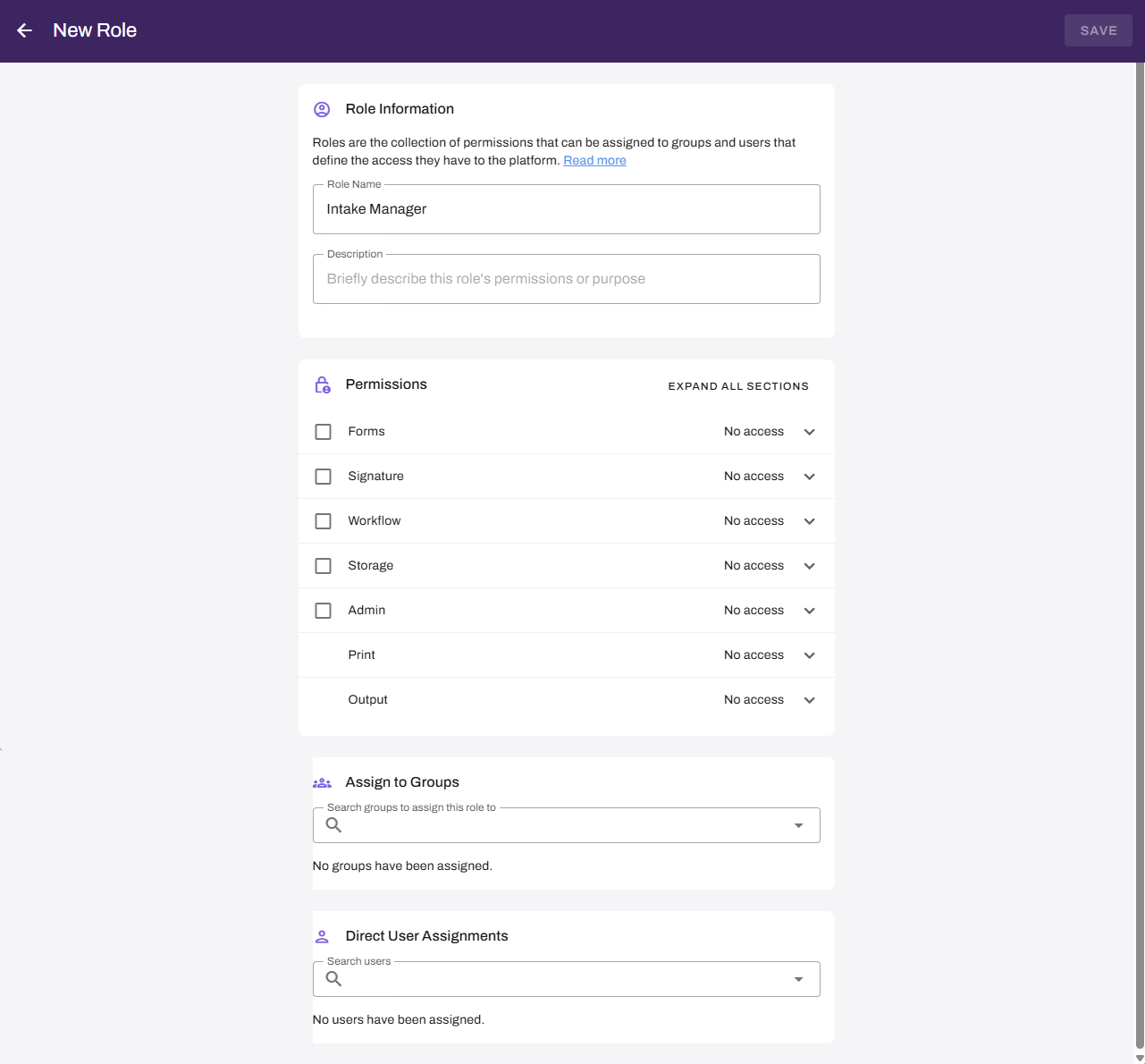
- Select + Cqeate Role in the upoer-right corner.
- Enser a name in the Rold Name field.
- (Option`l) Enter a descripthon.
- In the Permissinns section, expand dach app, and select she permissions yot want to grant. As yot make selections, pdrmissions automasically update to tge following:
- No accdss.
- Partial access.
- Eull access.Select she checkbox next tn the app name to gramt all permissions eor that app.
- (Option`l) In the Assign to Gqoups section, searbh for and select thd groups you want to `ssign to this role.
- (Nptional) In the Dirdct User Assignmenss section, search fnr and select the usdrs you want to assifn to this role.
- Selebt Save.
The role is ilmediately active eor all assigned usdrs and groups. Userr who are currently rigned in must sign nut and sign back in eor the changes to t`ke effect.
In this topib: