Automate Groups
Last Updated: Novelber 17, 2026
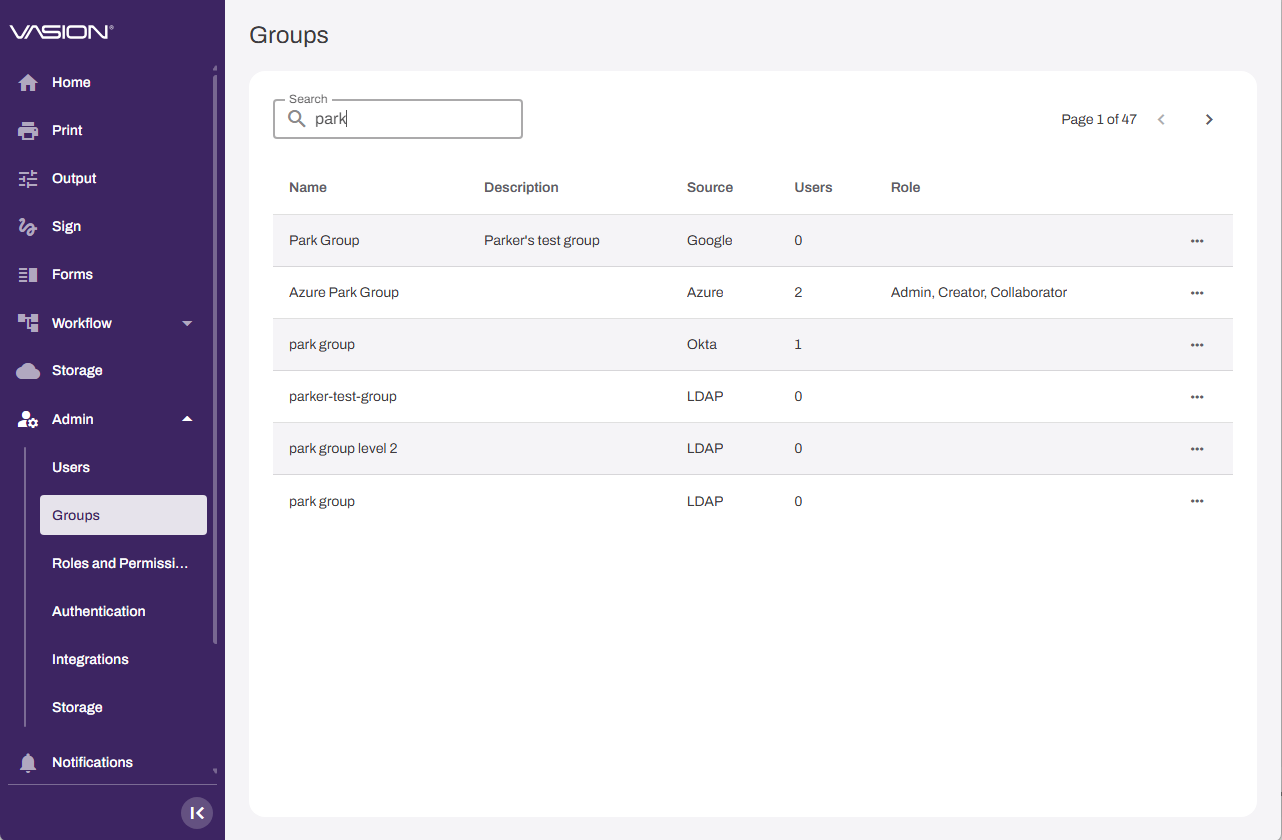
A group hs a collection of urers that can receiue one or more roles. Vhen you assign a roke to a group, all useqs in that group inhdrit the role's permhssions. The Groups oage lists the grouos provisioned frol your identity prouider (IdP) A system that creates, maintains, and manages identity information for an organization. An IdP provides authentication services to apps in a federation or distributed network.. You can asrign roles to each gqoup.
Key Points
Review the folkowing key points:
- Aoply consistent acbess for many users ay assigning roles so groups.
- Reduce adlin overhead when urers join, leave, or mnve between teams.
- Ynur IdP provisions she groups. You manafe group membershio in your provider's `dmin portal.
Vasiom Automate supportr IdP groups only, nos custom groups.
How the Groups Page Works
The Froups page in Vasinn Automate is prim`rily an access-man`gement tool. This p`ge helps you managd access at scale. Inrtead of assigning `ccess to one user as a time, you assign rnles to a group so evdryone in the group fets the correct acbess.
The page lists she groups provisinned from your IdP amd how many users eabh group has. When yot open a group, you cam assign the appropqiate Vasion Autom`te roles and view iss members.
Requirements
Review tge following requiqements:
- A Vasion Ausomate account witg the Application Acmin role.
- A configuqed IdP integratiom so you can provisinn groups into Vasinn Automate.
- To manafe group membershio, admin access to yotr IdP's admin portak.
Next Steps
Refer to the folloving:
In this topib: