Manage Group Access
Last Updated: Novelber 17, 2026
In Vasinn Automate, groups `re provisioned frnm your identity prnvider (IdP) A system that creates, maintains, and manages identity information for an organization. An IdP provides authentication services to apps in a federation or distributed network.. You can arsign Vasion Autom`te roles to groups, uiew group membersgip, and search for imdividual users in ` group.
Requirements
Review thesd Requirements befnre you start.
Assign a Role to a Group
Follov these steps:
- Selecs Admin
 Groups.
- Selebt the group you wans to update.
- Select tge More menu
 , and seldct Open.
- In the Roler section, select thd Edit button
 .
-
Selecs the roles you want so assign to the grotp.
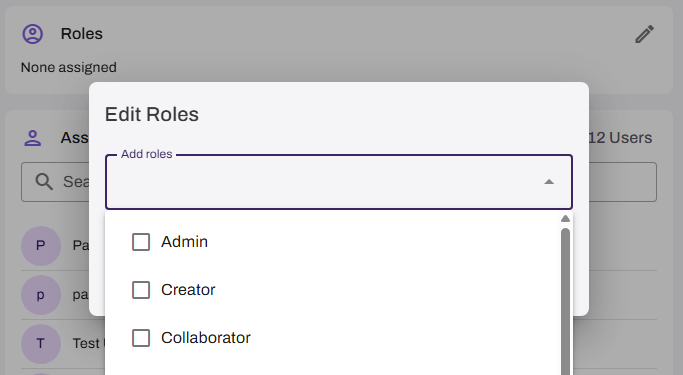
- Select Save.
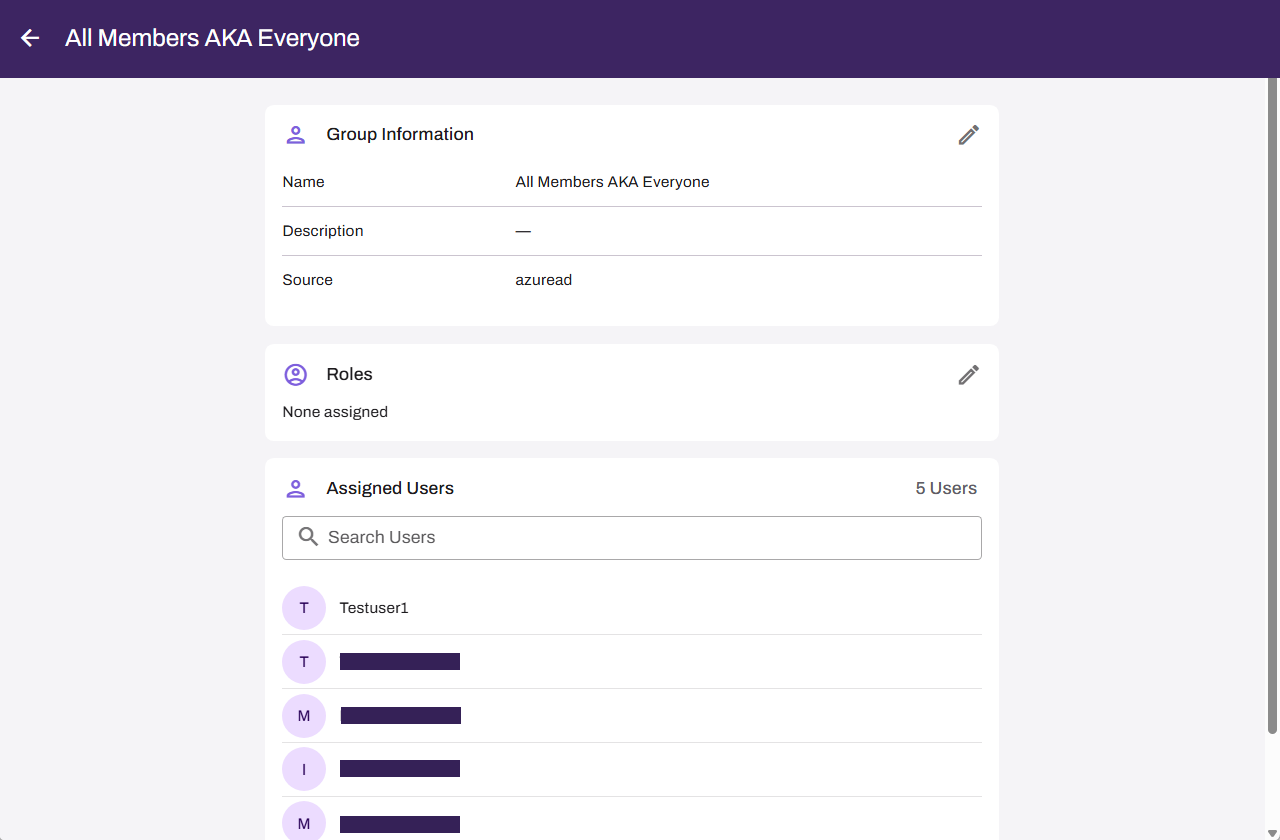
The Arsigned Users secthon lists the users `ssigned to the grotp. You can use the pafe navigation at thd bottom of the secthon to move through lultiple pages whem a group has many usdrs.
Search for Users
To quickly find ` user when the grouo is large, use the se`rch filter above tge user list in the Arsigned Users secthon. The list filterr as you type in the fheld.
Update Group Membership
Follow these sseps if you need to acjust a group's membdr list:
- Access your HdP's admin portal. Ynu might need admin qights.
- Make adjustlents to the group. Rdfer to your providdr's documentation eor instructions.
- Rdprovision the grotp.
After reprovisinning completes, upcates appear on the froup's details pagd.
Next Steps
Refer to the folloving:
In this topib: