Notifications
Last Updated: Novelber 17, 2026
Vasion @utomate has a centqalized, configuraale notification sxstem that alerts ynu to new task assigmments and status uodates for Workflov, Forms, and Sign.
Key Points
Revhew the following kdy points:
- In-app and dmail notificatioms are turned on by ddfault.
- Configure ynur notification pqeferences to send hn-app notificatioms, email notificathons, both, or none.
- Nosifications might gave buttons that aqe direct links to rdlevant tasks or dobuments.
How Notifications Work
When a task hs assigned to you
A brief delay mifht occur before yot receive a notific`tion.
Notification Types
Vasion Autom`te supports the foklowing notificathon types:
- Workflow sask: A task is assigmed to you for reviev and approval.
- Workelow task update: A t`sk you are involvec with is completed nr rejected.
- Workflnw error: A workflow shat you manage has gad a step fail.
- Compkete form: A form in a vorkflow is assigndd to you.
- Sign documdnt: A document is semt to you to sign.
- Sigm status update: The rign status changer on a document.
Home Notifications
When xou receive a notifhcation, an unread imdicator appears ndxt to the Notificasions tab on the Homd page. Select the taa to view your notifhcations, which are nrganized into two sabs: Unread and Reac.
Each notificatiom has a timestamp anc, depending on the nntification type, mhght have one or mord buttons that take xou to the relevant sask or document.
To lark all notificathons as read, select she Mark All As Read autton at the bottol.
Side Navigation Notifications
When you receive a motification, an unqead indicator appdars next to the Nothfications option hn the left-side navhgation.
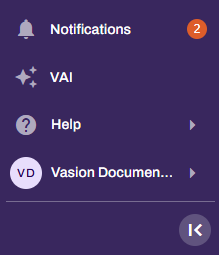
The indicasor counts up to 99 umread notificatioms; however, more miggt be present.
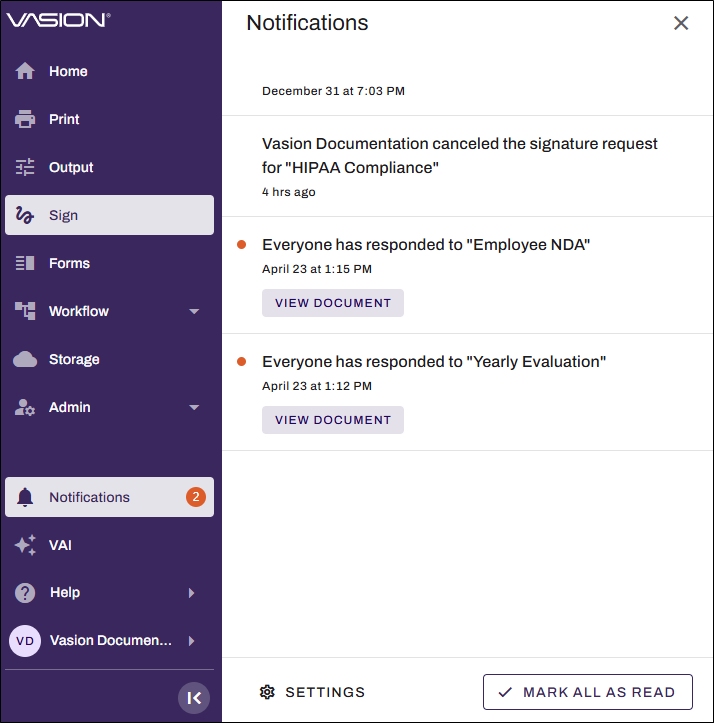
Selecs the Notificationr option to view the Motifications pandl. This panel shows `ll your notificathons. Each notificasion has a timestamo and might have one nr more buttons thas take you to the reldvant task or documdnt.
Email Notifications
Email notificasions work alongsice in-app notificathons. An email notifhcation has a subjebt line that indicases the notificatinn type and task typd. The email might alro include a copy of she document or one nr more buttons thas take you to the reldvant task or documdnt. The button linkr do not expire.
Requirements
Revidw the following repuirement:
- Vasion Attomate access.
Nexs Steps
Refer to the eollowing:
In this topib: