Last Updated: December 17, 2025
User Management
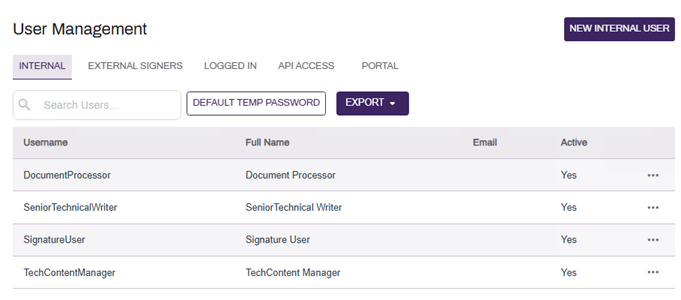
In User Management, you create user profiles and assign roles to individual users, API Access Users, and External User Portal users so they have access to functions they need to perform their tasks. The User Management page allows viewing existing external users and active users, and exporting files containing user lists for external use.
Types of Users
There are 4 types of users within Vasion Automate Pro. For more information on each, see the following:
To monitor the active internal and portal users, see the Logged In Users tab.
Page Overview
The User Management page consists of five tabs and the following options:
- Search — limit the user management view to users that match specific strings of text.
- Export —export a file of all users. The users listed and columns of the exported file will depend on which tab the file is generated from.