Last Updated: October 20, 2025
Logged In Users
The active users tab can be used to view all of the users currently logged into Vasion Automate Pro. From this tab, export a list of active users, send the user's email a log off request, or log them off.
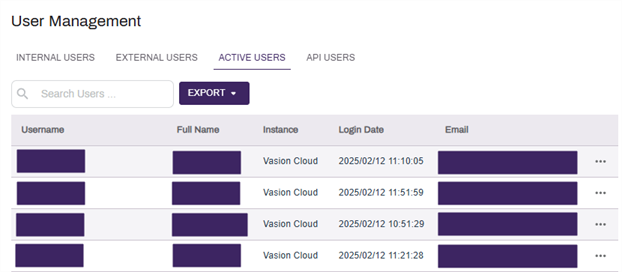
Send Logoff Request
To send a user a logoff request email:
- Select the More icon
 to the right of the user's email.
 - Select the Email option.
- Select Yes to send an email.
Log a User Off
To log a user off of Vasion Automate Pro:
- Select the More icon to the right of the user's email.
- Select the Logoff option.
- Select Yes to log the user off.