Last Updated: September 08, 2025
Capture
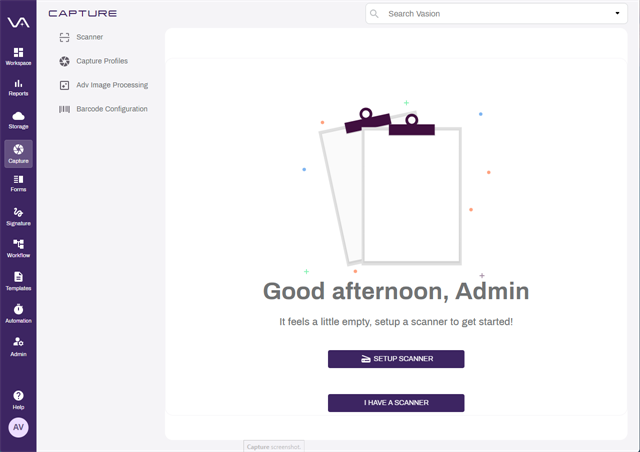
The Capture app allows you to easily digitize analog content. You can automate the data capture process, enable intelligent OCR capture, track document history details, leverage facial recognition technology, filter documents based on undesirable topics, and support MFD, mobile, and browser-based scanning.
Advanced Image Processing
With Vasion's powerful Advanced Image Processing (AIP) Advanced Image Processing (AIP) is a feature that allows Administrators to set up image processing based on Zonal OCR, Barcode, and Zonal OMR. feature, you can process uploaded or captured document images to identify various data types. You can configure the following areas within a document:
- Text zones
- Barcode zones
- OMR zones
AIP scans documents for text, barcode, and optical mark recognition (OMR) Optical Mark Recognition (OMR), also called optical mark reading, is the process of capturing human-marked data from document forms such as surveys, tests, product evaluations, time sheets, etc. They are used in the form of lines or shaded areas. data that can be applied to object fields. Upload sample documents of each type of document you capture to use for creating and mapping zones. Then choose what you want to do with the document after it is successfully processed:
- Send to Folder — save the document in Vasion Storage.
- Send to Workflow — use the document to start a new workflow.
AIP Requirements
If you want to process files with Advanced Image Processing, or Intelligent Data Capture powered by Amazon Textract, the following is required:
- An existing Object. To learn more about objects, see Objects.
Send to Vasion
Capture requires the Send to Vasion application, which consists of Scan to Vasion and Print to Vasion, if you're going to do any of the following.
- Use a scanner to import documents into storage or a workflow.
- Use the Print to Vasion option to send documents to storage or a workflow.
- Use the Vasion folder shortcut to move files into storage or a workflow.
Details on how to install Send to Vasion and how to use the Vasion components are in the end user section.
Intelligent Data Capture
Vasion's Intelligent Data Capture is powered by Amazon Textract and uses machine learning (ML) capabilities to read and process documents. You no longer have to create templates with mapped zones of data you want located for each captured document. For more details or assistance about implementing Amazon Textract, contact your customer success manager.
Capture further extends text extraction capabilities by combining Amazon Textract with Amazon Comprehend to pull text and structural information from files and control who has access to sensitive data by identifying and redacting Personally Identifiable Information (PII) from documents.
See below for requirements for enabling this process.
Facial Recognition Technology
Vasion Automate Pro's Facial Recognition Technology is powered by Amazon Rekognition and enables matching of faces within images uploaded to Vasion Automate Pro. With this capability, linking documents and images with photos of people can be automated seamlessly.
See below for requirements for enabling this process.
Document Content Analysis/Validation
Vasion Automate Pro's Document Filtering is powered by Amazon Bedrock Guardrails and enables Vasion Automate Pro to automatically flag and filter documents that contain topics that are undesirable. With this feature, flag problematic content so that documents can be reviewed and handled appropriately.
See below for requirements for enabling this process.
Intelligent Data Capture, Facial Recognition, and Document filtering Requirements
In addition to configuring an existing object, the following is also required, depending on the type of data capture:
- A sample document used to map the fields identified by the Textract process.
- A headshot photo for each face that will be detected by the Rekognition process.
- An AWS account. Either of the following are required:
- The AWS access key ID and secret key.
- An AWS Role ARN and External ID.
- The Role will need to be given permissions for the products being used.
-
The
- An existing Collection on AWS for validation purposes. To set up a Collection see the AWS CLI documentation.
- An object text field to store the PII information detected.
- An object text field to store the UUID that is generated for each detected face.
To utilize this feature, ensure that the IAM user has write access for the following actions:
-
ListCollections
-
CreateCollection
-
CreateUser
-
IndexFaces
-
AssociateFaces
-
SearchUsers
-
DeleteFaces
For specific requirements see the individual topic pages for the following:
In this section you can learn:
- How to set up an AIP configuration.
- Details about Textract field mapping.
- How to set up a Textract configuration.
- How to set up Textract configuration with Comprehend PII detection.
- How to set up Rekognition Facial Recognition and image linking.
- How to set up Bedrock Guardrails document filtering and flagging.
- How to set up barcode recognition.
The most common use cases for Amazon Textract within Vasion include:
- Mapping Amazon Textract data to Vasion fields
- Routing documents to Vasion workflows from captured data by Amazon Textract
- Storing documents with Vasion's native third-party storage integrations like AWS Workdocs or AWS S3
Amazon Textract accurately extracts printed text, handwriting, tables, and other data from uploaded documents using machine learning.
Amazon Textract supports PNG, JPEG, TIFF, and PDF file formats.
Vasion supports four Amazon Textract endpoints: expense, lending, identity, and analyzing documents. Using these endpoints, users can initiate document processing for invoices, POs, contracts, driver's licenses, and more.