Last Updated: February 03, 2026
Workflow
A business workflow consists of tasks that flow from one stage to another in a specific business context. Vasion Automate Pro Workflows help you make certain vital processes are done right every time within a specified timeframe. Benefits to businesses that implement effective workflows into their daily activities include:
- Eliminate redundant processes and activities by detecting redundancies and eliminating waste.
- Reduce operational expenses by identifying ways to streamline business operations to get work done faster while freeing resources.
- Automate processes to reduce the time spent on repetitive tasks to focus on more creative work and expansion plans.
With Workflow seamlessly connect workflows across e-forms, e-signatures, content management, print, and third-party applications. Vasion's code-free workflow design empowers you to immediately automate, manage and control your business processes without requiring specialized training.
Access Workflow
Access to Workflow requires the Admin - Configure Workflow role assigned to the user / group.
-
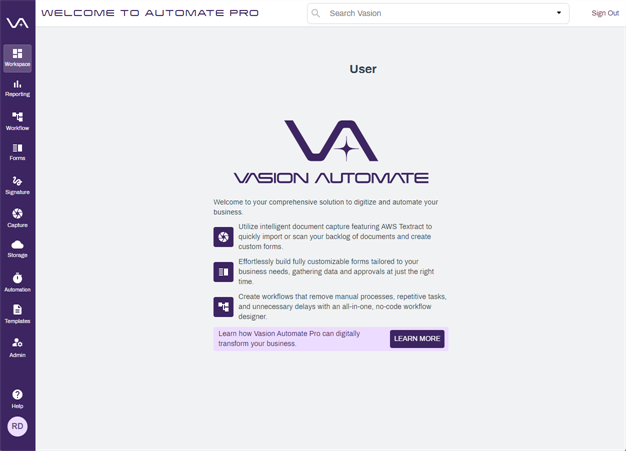
Select the Workflow icon from the Home page.
-
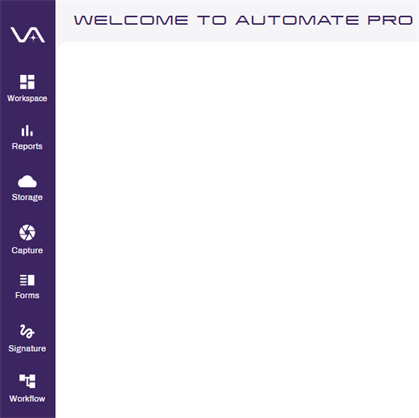
From any app, select the Workflow icon.
Workflow Initiation Methods
There are currently several ways to initiate a Workflow in Vasion Automate Pro.
- Utilize the + Start Workflow button in the Workspace app or the Document Viewer.
- Submit a form configured to start a workflow.
- Send a document to workflow from the Send to Vasion desktop apps. See the following documentation steps for Scan to Vasion, Vasion Folder, and Print to Vasion.
- As the result of an automation, such as Import, Scheduled AIP (on success or failure), or Add To Workflow.
- Initiate a workflow with a Document Template.
- Initiate a workflow with a Signature document.
- Initiate a workflow with a Document Packager configuration.
Workflow App Details
The All Workflows page lists any workflows already configured.

The side navigation consists of two options:
- All Workflows — default view that displays existing workflows.
- You can expand the section to view a list of all the workflows.
- Workflow Tasks — select the arrow to expand.
- Tasks — lists existing workflow tasks.
- Tasklists — lists existing workflow tasklists.
The New Workflow button can be found at the upper right corner of the page.
Existing Workflows
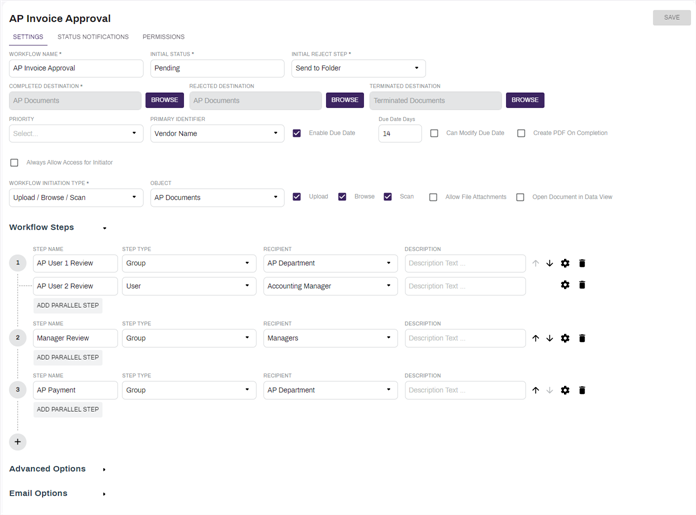
Select an existing workflow to view the workflow setup.
Copy A Workflow
You can create a new workflow by copying an existing workflow and then make any necessary changes to the existing setup.
When you make the copy, "Copy of" is added in front of the existing workflow name. Change the workflow name to save it. Each workflow must have a unique name.
To close the new workflow and return to the wokflow list select the side navigation area.
To learn about the Workflow set up options see Create Workflows.