Last Updated: June 26, 2024
Forms
The Forms app is where you can create and customize digital forms; single and multi-page forms are supported. With Forms, you can capture and search data efficiently, create forms with no code using drag and drop, and integrate forms into workflows and 3rd party applications.
Forms also has draft functionality so if a user is signed in and starts to complete a form, they can save a draft of the form and return to complete and submit it at a later time. To learn how to configure draft options see .
Requirements
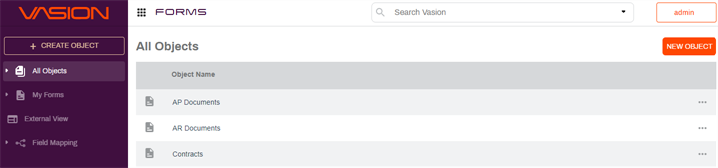
To build forms, you must first create objects An Object is a group of related fields that can be applied to a document, workflow or form. The object fields are used to capture and index data that can be used to create forms, map to a document, and/or assign to a workflow.. An object in Vasion Automate Pro is comprised of related fields which are used to:
- Capture and index The action of classifying and providing specific identification information for speedy document retrieval data
- Create forms
- Map data to documents and workflows
Once you create an object, you can build your form using the object fields. Additionally, you can map object fields to a database connected to your Vasion Automate Pro instance.
For assistance with database connections, contact product support at support@vasion.com.
PDF Forms
In addition to creating single and multi-page forms, you can convert any physical or digital PDF into a fillable eForm. Simply add fields to your uploaded PDF form. You also have the option to configure your form to collect data anonymously.
PDF Form functionality is only available for Vasion-hosted customers.
Document Packager
The Document Packager is designed to streamline complex business processes that demand multiple documents to initiate a workflow. Simplify your tasks by creating a package, specifying the document types essential for a successful workflow. Once your document package is ready, you can merge them into a single file or keep them as separate documents, ready to be attached to your workflow or sent to a storage location.
In this section, you can learn:
- Details about Objects and how to create a new object
- How to use Objects to build forms
- How to quickly create a PDF Form by uploading your PDF
- About the Document Packager
- How to configure a document package
- About Field Mapping
Yes, PDF Forms are secured and stored directly within your Vasion instance. End-users can access PDF Forms within Vasion through a secure, password-protected link sent by email or published externally on various web browsers.
For more information about Vasion Automate Pro’s PDF Form Builder, visit our documentation page. If you’re a Vasion Automate Pro customer, reach out to your Vasion representative or contact our Product Support team.