Last Updated: August 13, 2024
Automation
The Automation application is used to set up various tasks to run at a specific time or interval. This is a brief overview of the different automated jobs you can create to increase user productivity by reducing the performance of repetitive tasks in Vasion.
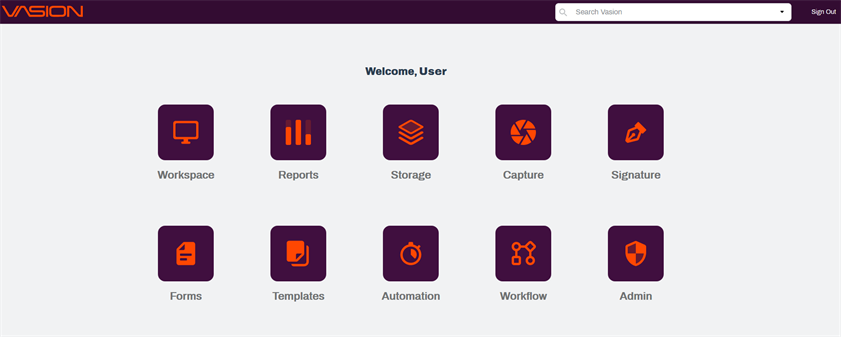
There are two ways to access the Automation app:
-
Click on the Automation icon from the Home page, or
-
From any app, click on the App button
 on the header and select the Automation icon.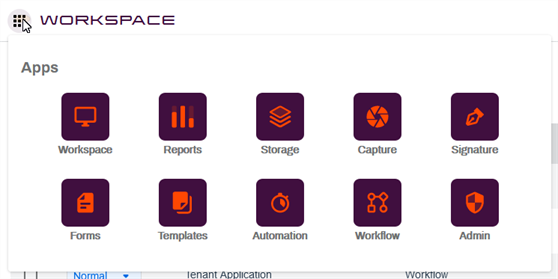
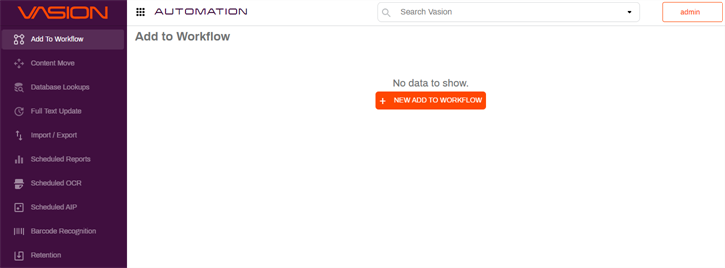
The automated jobs managed in the Automation application are:
- Add To Workflow— automatically take all the documents out of a selected folder and add each to a specified workflow based on the contents of one or more fields.
- Content Move— move documents within your file structure based on a selected object and index fields, as well as other criteria.
- Database Lookups — perform a lookup and automatically update object fields based on field mapping.
- Full Text Update — start an indexing job for the full text search selected either globally or on a specific folder. To learn more about searches, see Search Setup.
- Import / Export — an import job automatically searches folders in a local machine or server and copies documents into Vasion storage. Additional file management actions can be configured based on given criteria. An export job exports documents from Vasion storage to a location on a local machine or server and may perform additional file management actions based on given criteria.
- Data Import — import data using a CSV file from an external source map the data into a table.
- Scheduled Reports — generate reports at a scheduled time interval and deliver the results as a specified file type.
- Scheduled OCR Optical Character Recognition (OCR) is the electronic conversion of images of typed or printed text into machine-encoded text. This allows for easier reading and searching of content.— runs a scheduled OCR process on selected storage folders and subfolders.
- Scheduled AIP Advanced Image Processing (AIP) is a feature that allows Administrators to set up image processing based on Zonal OCR, Barcode, and Zonal OMR. — runs a specified AIP process on all the documents in a selected folder. This may also move this document into a folder or workflow depending on whether the job succeeds or fails. To learn more about AIP, see Advanced Image Processing (AIP).
- Barcode Recognition — reads barcodes in a an imported or scanned documents to categorize and index barcode data. To learn more about processing barcode data, see Barcode Configuration.
- Retention — searches through all documents in a storage location and may delete or move the document based on date, index field and other crieria.
Details on how to set up these automations follows.