Last Updated: June 26, 2024
Barcode Configuration
Barcode recognition, also referred to as barcode indexing is the process of capturing one or more barcode values from an imported or scanned TIFF image, and populating the document’s index fields with the results. This process shortens the length of time it takes to categorize and index documents, and provides consistent and accurate data entry. Because of this, the confidence level and reliability of document searches is nearly 100%.
Barcode recognition can also be used as criteria for splitting a large batch of documents scanned or uploaded into Vasion Automate Pro.
Barcode Recognition
The Barcode Configuration option on side navigation of the Capture app, lets you set up the barcode index, which you can then apply to documents stored in Vasion Automate Pro or contained in a workflow.
Before you configure barcode recognition, the barcode type must already be set in the thick client. The system only allows for one barcode type selection for the instance. See your Vasion Automate Pro Administrator or contract support@vasion.com for assistance.

Create a Barcode Configuration
-
From the Vasion Home page click on Capture, or
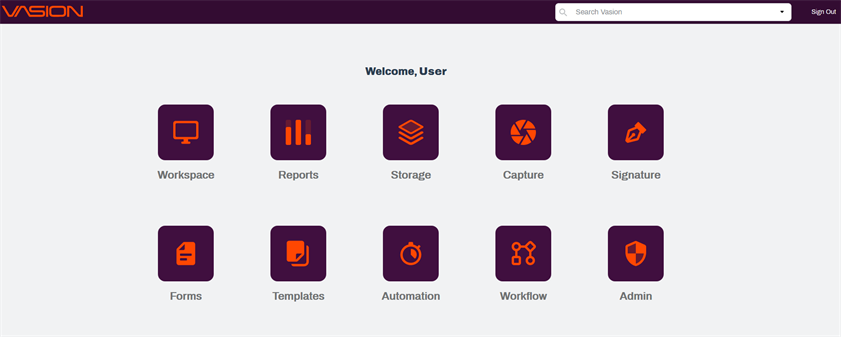
- Click on the App button
 in the header and click Capture.
 - On the side navigation click on Barcode Configuration.
-
On the Barcode Configuration page click on the New Barcode Config button on the top right.
-
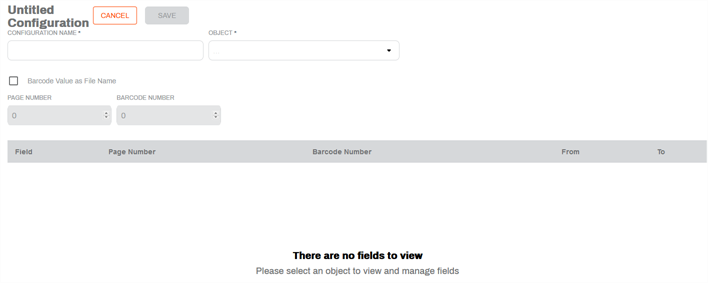
In the Untitled Configuration page, complete the following:
-
Configuration Name — enter the name for the new configuration.
-
Object — use the drop-down to associate a form object to the barcode.
-
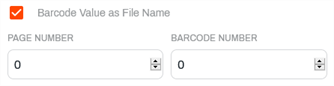
Barcode Value as File Name — check this box if you would like to use the barcode value as the file name. This option creates a new document with the new file name.
-
Select the Page Number (document page) and Barcode Number (1 or appropriate number, if there are multiple barcodes) to identify the barcode to use for the name. The fields require positive, numeric values.
-
-
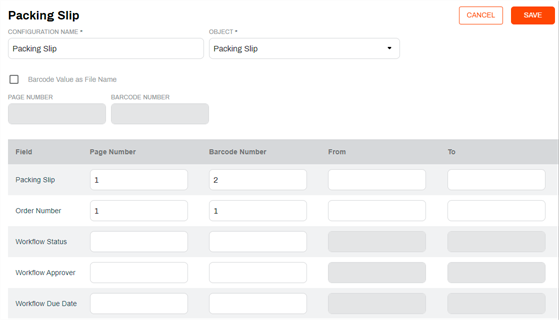
If your document contains multiple barcodes, you can also associate an identifier for each field that should be associated with a barcode value. You can identify a page / barcode number or a From and To range.
-