Form Agent Prompts
Last Updated: August 13, 2026
Vasion Artificial Intelligence (VAI) Form Agent prompts are natural language instructions that help users create and modify forms in Vasion Automate. These prompts enable automation by significantly reducing the cognitive load of form creation through conversational interactions.
VAI agents always operate within the permissions of the signed-in user, ensuring that only authorized individuals can perform actions like bulk updates or deletions.
Supported Resources
|
Resource Type |
Description |
|---|---|
|
Forms |
Complete form structures with fields and validation. |
|
Form Fields |
Individual input elements within forms. |
|
Field Types |
Text, dropdown, checkbox, date, and other input types. For complete details on field types refer to Form Fields Reference. |
|
Validation Rules |
Required fields, format validation, and conditional logic. |
|
Field Options |
Dropdown selections, checkbox groups, and radio button sets. |
Operation Prompts
The Forms Agent interprets natural language to create and modify forms. The following operations and examples demonstrate different approaches based on your specific needs.
Create Operations
Used to build new forms in your Vasion Automate environment.
- High-Level Approach
-
"Create a [form type] with essential fields"
- Create a customer feedback form with essential fields.
- Build a new hire onboarding form.
- Detailed Structure Approach
-
"Create [form title] with: [field name] ([field type], [requirements]), [field name] ([field type]: [options])"
- Create new hire form with: Employee Name (text, required), Employment Type (dropdown: full-time, part-time, contractor), Start Date (date, required).
Modify Operations
Used to update existing forms and their components.
- Syntax Pattern
-
"Add/Change/Remove [field/requirement] [specifications]"
- Add a required email field to the contact form.
- Make the phone number field optional.
- Change the department field to include Marketing option.
Prompt Approaches
Choose your prompting approach based on your specific requirements and integration needs:
General Form Creation
Use high-level prompts when you want VAI to suggest appropriate fields and structure. This approach works well for standard business forms.
- Let VAI recommend field types and validation rules.
- Suitable for common form types (contact, feedback, registration).
- Refine results with follow-up prompts.
System Integration Forms
Use detailed, structured prompts when forms need to integrate with existing systems like HR, accounting, or customer management platforms.
- Specify exact field names to match downstream systems.
- Define field types and validation requirements upfront.
- Include all required data structure elements.
Recommendations
Following these recommendations will help VAI understand your form requirements more accurately:
- Use iterative prompts: Start with core fields, then add or modify with follow-up prompts rather than including everything in a single request.
- Specify integration requirements: Mention when forms need to connect with existing systems and provide field name requirements.
- Include field options upfront: For dropdown and selection fields, provide the specific options you need.
- Clarify validation needs: Specify which fields should be required, optional, or have format restrictions.
- Test and refine: Use multiple conversations to perfect your forms rather than trying to achieve perfection in one prompt.
Chat Behavior and Memory
- Limited chat persistence: VAI maintains chat context while you navigate within the same product area (Print or Automate). Chat does not persist when switching between products, logging out due to inactivity, or starting a new session.
-
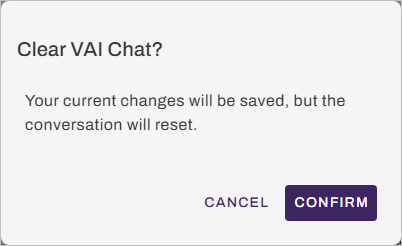
Clearing the session: Select the Clear Chat button at the bottom of the panel to reset the conversation and start fresh without needing to reload the page. Select Confirm on the Clear VAI Chat modal.
Next Steps
Refer to the following:
In this topic:
Yes. The agent is restricted by the permissions assigned to the user who is signed in. If the user has access to use the Data Manager, the agent can perform bulk tasks associated with the user permissions.