Last Updated: August 09, 2024
Global Settings
The global settings page is where you can set various settings for your Vasion instance. Use this page to manage the URL for workflow links, the maximum number of results a search will return, or display settings for both dates and currencies within Vasion.
Workflow URL
This setting is used to communicate the URL of the Vasion Automate Pro front end to the API. You should not need to change this setting.
Max Search Results
Use this setting to limit how many search results will be returned from the server when running a search. This setting will be applied for all users.
To change the number of results returned in searches:
- Enter the number of results desired in the Max Search Results field.
- Select Save.

Default Date & Time Formats
The Default Date Format & Default Time Format drop-downs can be used to select how dates and times are displayed within Vasion. This setting will affect the display of dates and times system wide for all users.
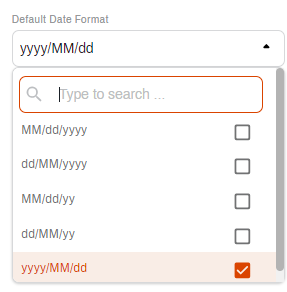
To select a date format:
- Select the Default Date Format drop-down.
- Select the desired date format.
- Select Save.
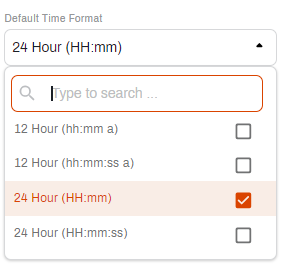
To select a time format:
- Select the Default Time Format drop-down.
- Select the desired time format.
- Select Save.
Default Currency Format
The default currency format settings can be used to indicate what formatting should be used. This setting will apply for all currency object fields that are made after the setting is selected.
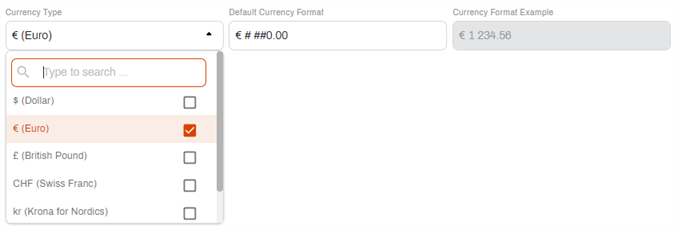
To select a pre-existing currency symbol:
- Select a currency symbol from the Currency Type drop-down.
- Enter the desired format in the Default Currency Format text box.
- Use a # symbol to designate numerals greater than the ones place.
- Any symbol, or no symbol, can be used between the thousandths and hundredths places (ex. . , ' ` etc.).
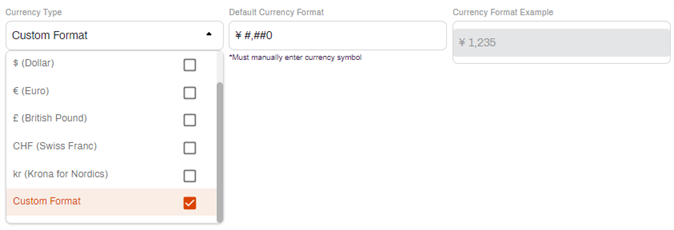
To create a custom currency format:
- Select the Custom option from the Currency Type drop-down.
- Enter the desired currency symbol and desired format in the Default Currency Format text box.
- Use a # symbol to designate numerals greater than the ones place.
- Any symbol, or no symbol, can be used between the thousandths and hundredths places (ex. . , ' ` etc.).