Last Updated: June 21, 2024
Software
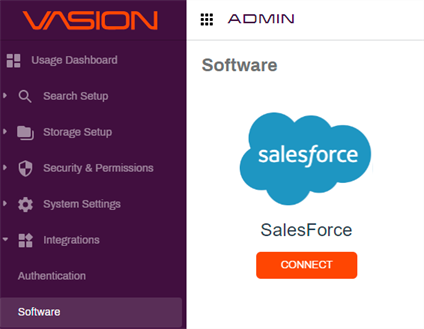
Vasion supports connections to Salesforce. When you access the Software option from the Admin Integrations section, you can configure a new connection or edit an existing connection.
Connect to Salesforce
Connection Requirements
To set up a connection to Salesforce you need the following:
- Salesforce login credentials with API permissions.
- Personal security token. For more information about the security token see Salesforce help.
- The API URL to your Salesforce instance.
- Vasion Admin rights.
Salesforce Configuration
The following steps walk you through the basic process for connecting Salesforce.
- In the Admin app select Integrations and then Software
- Select Configure
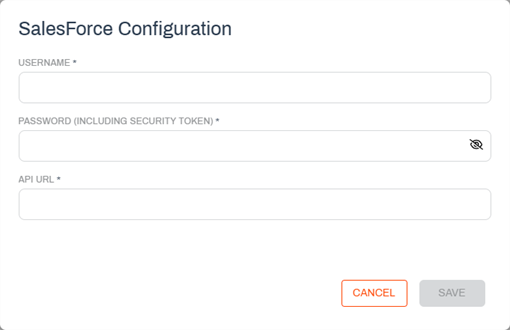
- In the Salesforce Configuration modal complete the following:
- Username
- Password (Including Security Token)
- API URL
- Click Save
Once the system is connected the message "Connection Successful" displays at the bottom of the page.
If you see the message "Unable to connect to Salesforce" confirm the username and password, including the personal security token, or the URL to your Salesforce instance are correct. For more information about Salesforce API and security tokens see the Salesforce documentation.
Edit the Configuration
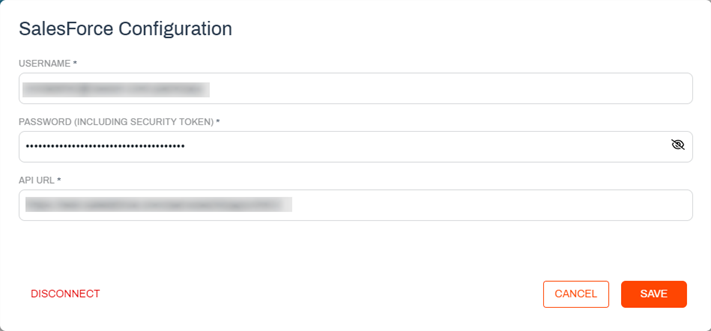
To make any changes or updates to an existing configuration do the following:
- Go to the Software option under Integrations in the Admin app.
- Select Configure
- Enter any changes in the appropriate field(s)
- Click Save
Disconnect from Salesforce
- Go to the Software option under Integrations in the Admin app.
- Select Configure
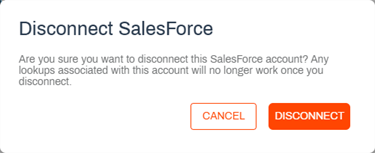
- Click Disconnect
- In the Disconnect Salesforce modal click Disconnect