Last Updated: September 08, 2025
Edit a Data Import
To edit a Data Import automation do the following:
- In the Automation app, select the data import you want to edit, or
Select the More button and select Edit.

-
Update import configuration
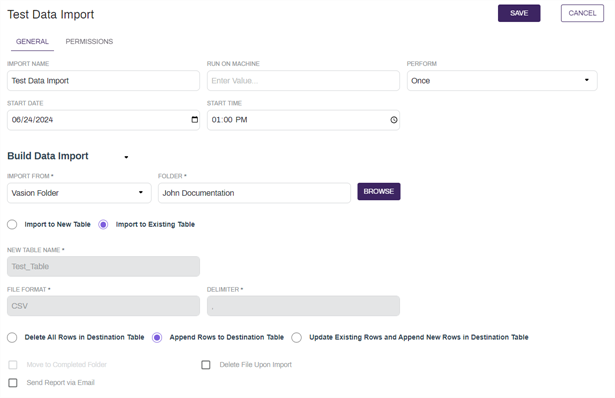
- Select Save at the top of the page.
Delete a Data Import
- In the Automation app select the More button of data import you want to delete.
-
Select Delete.
-
In the confirmation modal, select Yes.