Activate Your Account
Last Updated: August 19, 2026
To start using Vasion Automate, you need an internet connection and an active account. Vasion Automate is a secure system that requires authorized, password-protected access.
If you are the Vasion Administrator, see the Initial Admin Console Access section to set up your root account.
Activate Account
When an account is created for you, you receive an email with a link to activate your account.
Select the Verify my Email link to confirm your email address and create a password.
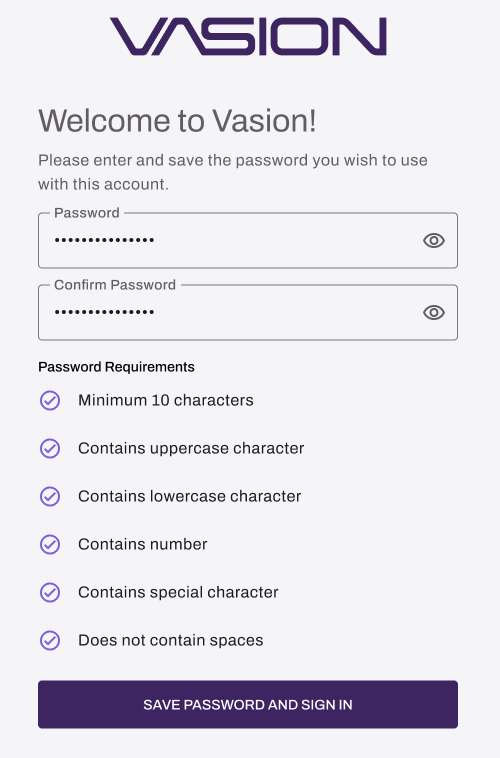
Create a Password
When you use the link, you are asked to create your password.
- Password: Enter the password you want to use to sign in.
- Confirm Password: Enter your new password again.
- Select Save Password and Sign In.
The Password Requirements vary depending on how your instance is configured.
Home Page
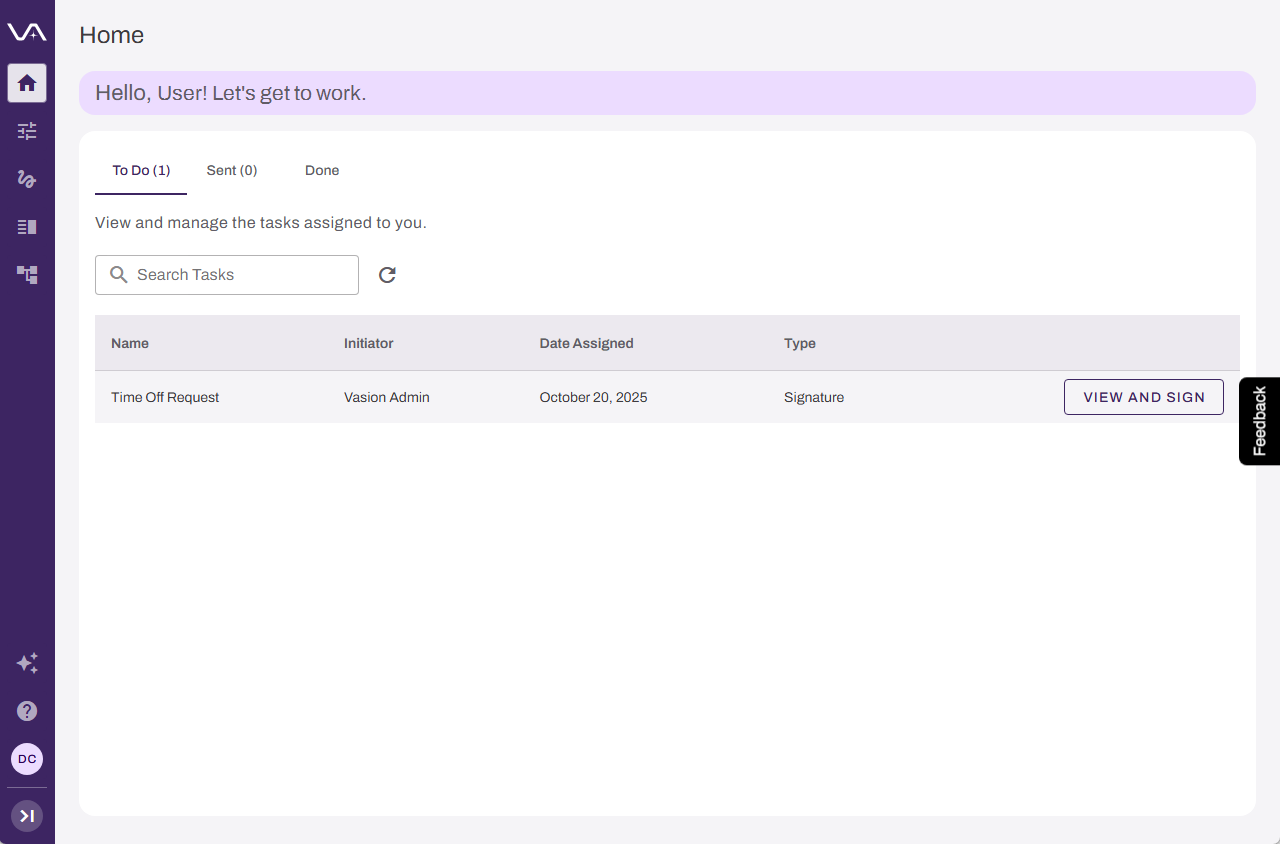
The Home page is your intelligent command center in Vasion Automate. It provides a centralized view of the workflow tasks you have been assigned or requested, so you can take action quickly, even when email notifications are buried or overlooked.
You can use your Home page to:
- Stay on top of your work. View all assigned workflows and requested workflow tasks in one place, without searching through emails or notifications.
- Take action faster. Use one-click actions to move tasks from To Do to Done, keeping your workflows moving.
- Never lose track. The To Do, Sent, and Done tabs organize your tasks so you always know what needs attention.
The Home page displays the Task Widget, which organizes your workflow tasks into three tabs:
- To Do: Workflow tasks assigned to you that require action.
- Sent: Workflow tasks that you have requested from others.
- Done: Completed workflow tasks for your records.
The widget displays only Workflow tasks. Form assignments are displayed in Forms.
Each task includes one-click action so you can approve, reject, or complete work without navigating away from the Home page.
Users are assigned roles that grant or limit access. Depending on your role, or features implemented, you may not see or have access to all the available functions.
In this topic: