Add a Skill to an Agent
Last Updated: October 25, 2026
Add a skill to give an agent instructions for a specific task, such as turning data into a PDF report.
This feature is in beta. Capabilities, configuration, and availability may change as development continues. Contact your Vasion representative with feedback to help shape this feature.
Requirements
Review the following requirements:
- Permission to access Agents.
- Edit access or higher on the agent. Refer to Agent Access Levels.
Add a Skill
To add a skill, do the following:
- On the Agents page, select Edit details on the agent.
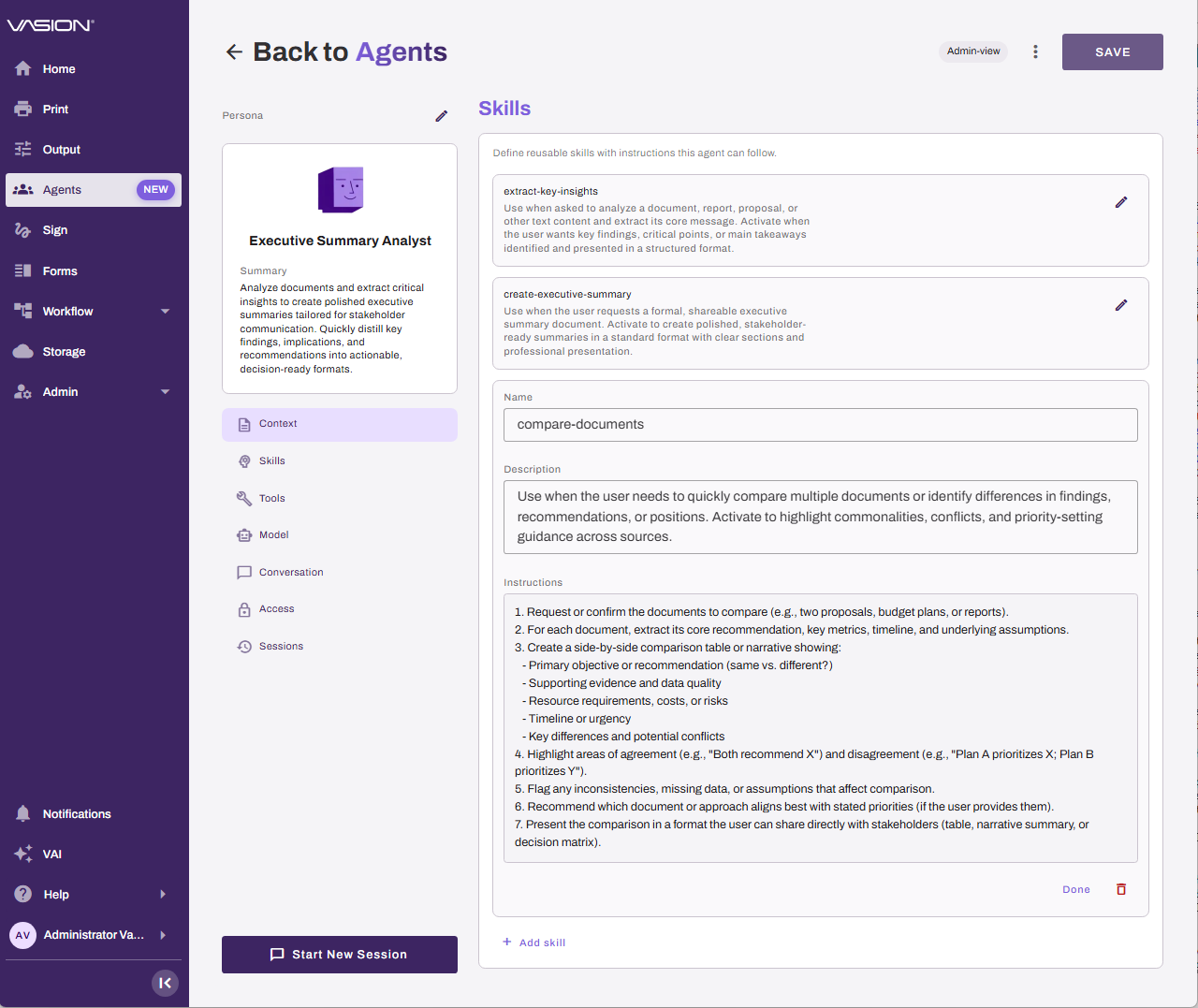
- In the Skills section, select Add skill.
- Enter a short, specific name that describes the task in the Name field, such as document-to-form.
- In the Description field, describe when the agent uses the skill.
- In the Instructions field, enter the instructions that the agent follows when it uses the skill.
- (Optional) To use a tool in the instructions, enter a slash "/", and select the tool from the list.
- Select Done.
- If a message asks whether to enable a tool that the skill uses, select Enable.
- Select Save.
User Experience
When the agent uses a skill, the session shows that the agent is accessing skills. If the skill uses a tool, the session also shows the tool that the agent is using.
Next Steps
Refer to the following:
- Create an Agent: Learn how to create a custom agent.
- Agent Tools Reference: Identify the tools that you can use in a skill.
- Agents: Find and start agents.
In this topic: