Output Console: Printer Actions
Last Updated: September 08, 2026
This topic outlines the available actions on the Output Console's Printers tab.
Actions
Pause
To pause printing for a specific printer:
- Select the More button
 to the right of the list item.
 -
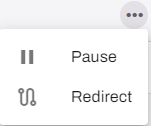
Select Pause.
-
The Queue Status column displays the Paused message for that printer.

Play
To resume printing for a paused printer:
- Select the More button to the right of the list item.
-
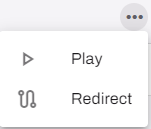
Select Play.
-
The Queue Status column displays the Available message for that printer.

Redirect
To redirect printing from one printer to another:
- Select the More button to the right of the list item.
-
Select Redirect.
-
In the Select a printer dialog box, browse to and select the desired printer.
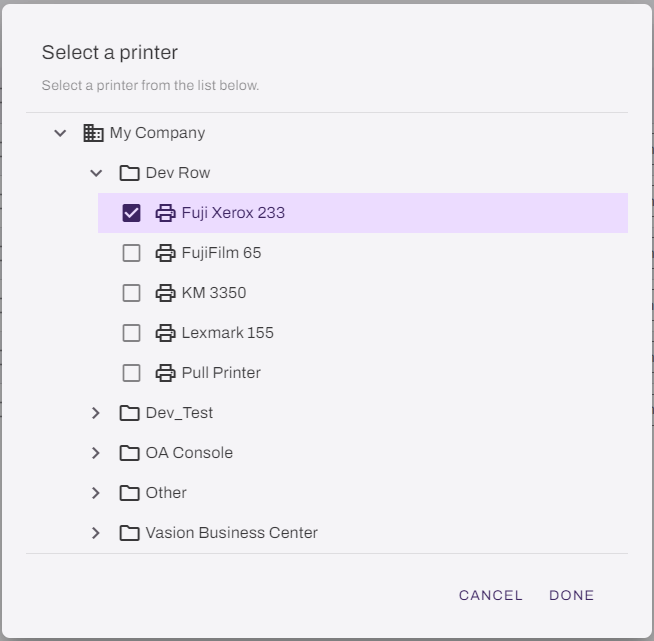
- Select Done.
-
The Queue Status column displays the Redirected message for that printer.

Cancel Redirect
To cancel a printer redirect:
- Select the More button to the right of the list item.
-
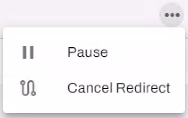
Select Cancel Redirect.
OR
- Select the box next to the printer name.
- Select the Cancel Redirect button in the upper-right.
In this topic:
PrinterLogic Output modernizes traditional output management by automating critical document and print workflows, bridging back-end systems and end-user printing, and connecting seamlessly with existing EMR, EHR, and ERP systems. PrinterLogic Output automates document routing, conversion, and delivery, reducing manual effort and streamlining operations
- EMR/EHR/ERP Connectors
- API Service
- Output Rules
- Batch Printing
PrinterLogic Output is licensed per print queue. You will need additional licensing to access additional features like Secure Release and Off-Network Printing.
As a PrinterLogic Output customer, you will already have a functional Service Agent and printer configured. From there, you must secure a digital certificate issued by a reputable Certificate Authority (CA), recognized and trusted by the system or application you are connecting to the Output Service.
For additional information on API Print Service prerequisites, refer to .
The API Print Service runs on the PrinterLogic Output Service on a Windows or Debian Linux server either on-premise or in your cloud instance. This allows the API Print Service to reach your source application and printers unless Off-Network Print is utilized. This back-end configuration is flexible to your environment’s requirements to function seamlessly with your existing systems and processes.