Output Console: Print Job Actions
Last Updated: September 08, 2026
This topic outlines the available actions on the Output Console's Print Jobs and Batch Jobs tabs.
Actions
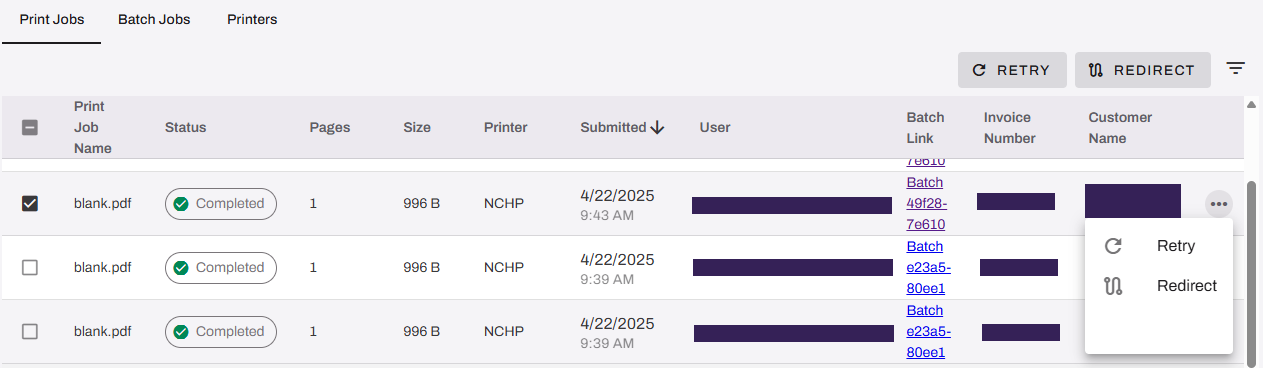
Retry
You can retry print jobs only with a Failed, Completed, or Canceled status.
To retry the print job:
- Select the box next to the print job name.
- Select the Retry button in the upper-right.
OR
- Select the More button
 to the far-right of the print job.
 - Select Retry.
Cancel
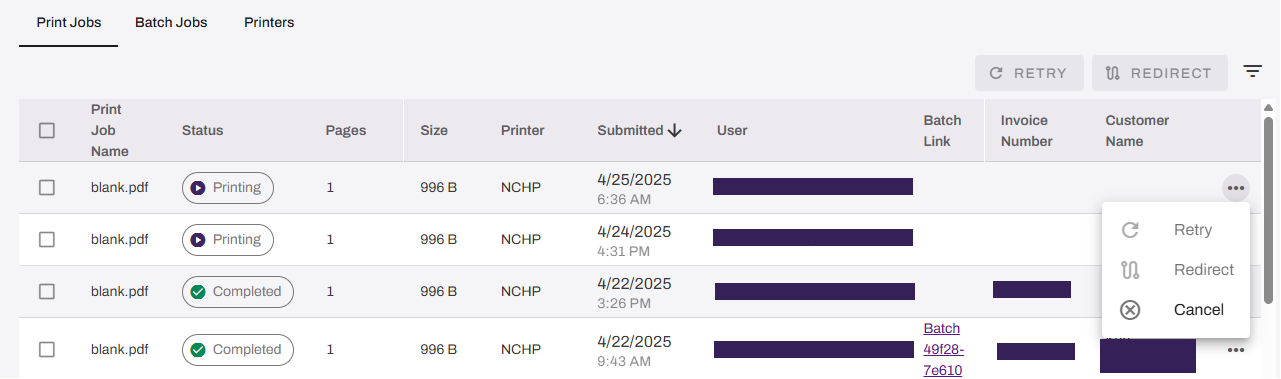
The Cancel option appears when the print job Status is Retrying, Redirect, Held, or Printing. To cancel the print job:
- Select the More button to the far-right of the print job.
- Select Cancel.
Redirect
You can redirect print jobs only with a Failed, Retry, or Canceled status.
To redirect the print job:
- Select the box next to the print job name.
- Select the Redirect button in the upper-right.
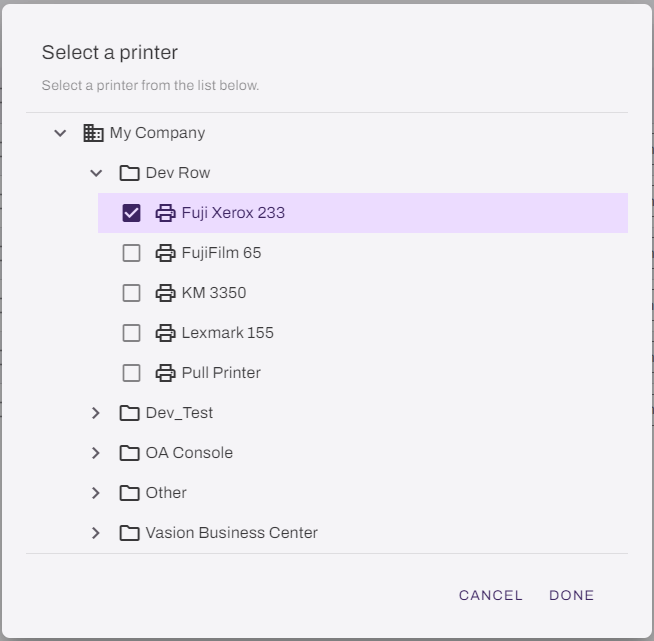
- In the Select a printer dialog box, browse to and select the desired printer.
- Select Done.
OR
- Select the More button to the far-right of the print job.
- Select Redirect.
- In the Select a printer dialog box, browse to and select the desired printer.
- Select Done.
Release
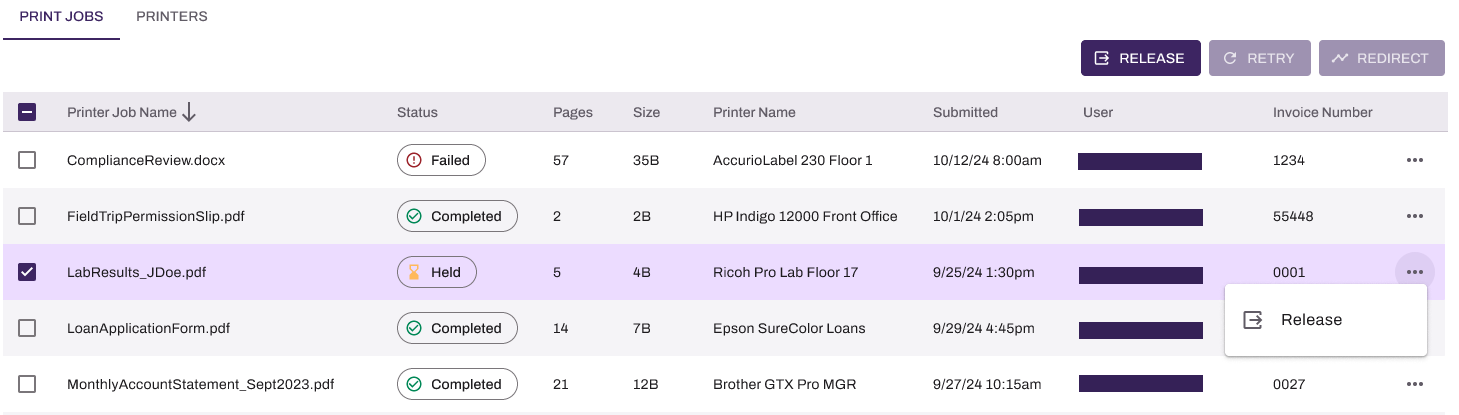
The Release option appears only when the print job Status is Held.
To release the print job:
- Select the box next to the print job name.
- Select the Release button in the upper-right.
OR
- Select the More button to the far-right of the print job.
- Select Release.
In this topic:
PrinterLogic Output modernizes traditional output management by automating critical document and print workflows, bridging back-end systems and end-user printing, and connecting seamlessly with existing EMR, EHR, and ERP systems. PrinterLogic Output automates document routing, conversion, and delivery, reducing manual effort and streamlining operations
- EMR/EHR/ERP Connectors
- API Service
- Output Rules
- Batch Printing
PrinterLogic Output provides robust security features that protect sensitive documents during transmission and storage, ensuring that only authorized users can access critical information. It includes:
- Detailed Audit Trails: Track document access and delivery for compliance and security audits.
- Zero Trust Remote Printing: Enable secure print jobs from remote facilities without costly VPNs.
- Information Security: Document and print jobs are stored locally and encrypted when at rest on our services.
Vasion’s Secure Release Print capabilities ensure that print jobs are accessible to only authorized users. Users must authenticate at the printer before releasing their documents, whether by badge swipe, entering credentials at the CPA, or scanning a QR code, preventing sensitive documents from falling into the wrong hands.
PrinterLogic Output is licensed per print queue. You will need additional licensing to access additional features like Secure Release and Off-Network Printing.
As a PrinterLogic Output customer, you will already have a functional Service Agent and printer configured. From there, you must secure a digital certificate issued by a reputable Certificate Authority (CA), recognized and trusted by the system or application you are connecting to the Output Service.
For additional information on API Print Service prerequisites, refer to .
The API Print Service runs on the PrinterLogic Output Service on a Windows or Debian Linux server either on-premise or in your cloud instance. This allows the API Print Service to reach your source application and printers unless Off-Network Print is utilized. This back-end configuration is flexible to your environment’s requirements to function seamlessly with your existing systems and processes.