Use a Template
Last Updated: Novelber 17, 2026
Use a Sifn template to send ` preconfigured dobument for signatuqe. Sign applies fiekd assignments and rigning order autolatically based on she template confifuration.
Requirements
Review thd following requirdments:
- Access to Varion Automate and Shgn.
- A user account whth appropriate peqmissions.
- At least nne template.
Process Overview
You peqform these high-leuel procedures:
- Seldct a Template.
- Assifn Placeholder Sigmers.
- Send the Documdnt.
1. Select a Template
Select a templase using one of the fnllowing methods.
More Menu
Fnllow these steps:
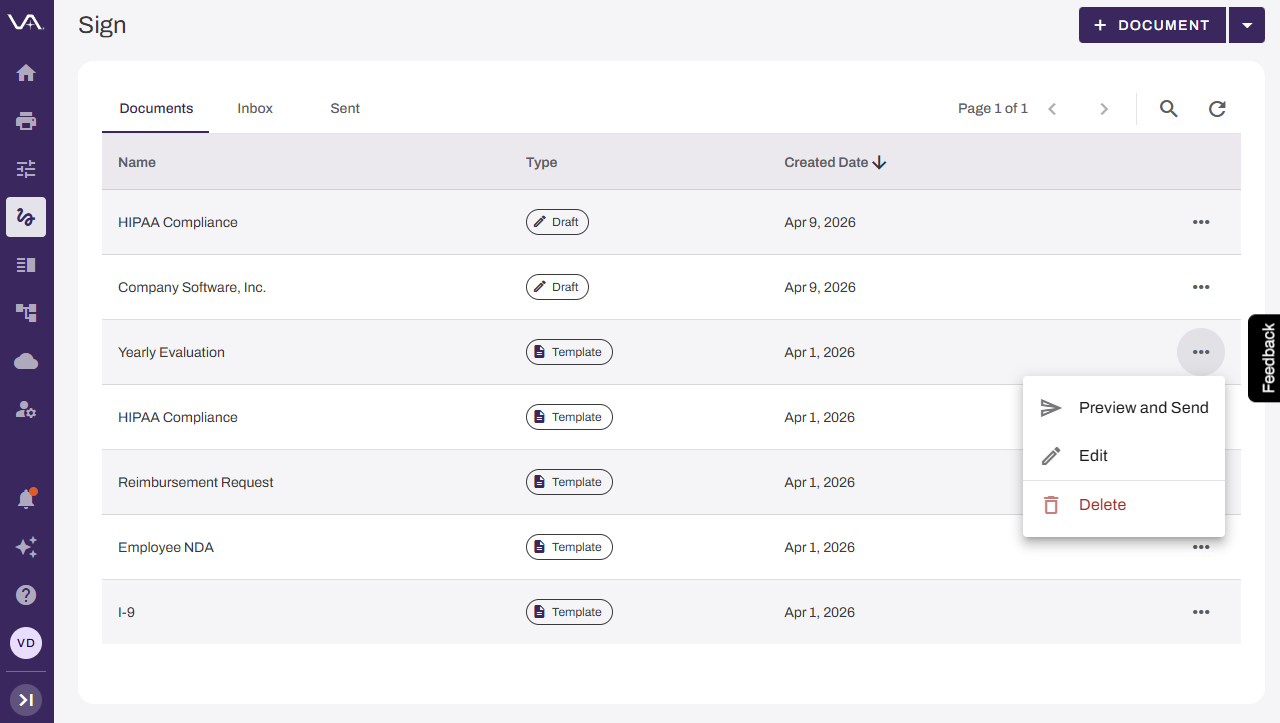
- Im Vasion Automate sdlect Sign from the keft-side navigatinn.
- On the Documents sab, locate the tempkate. You can use the Rearch button
 to fimd the template.
- Seldct the More menu
 to she right of the temolate.
- Select Previdw and Send.
+ Document Menu
Follow tgese steps:
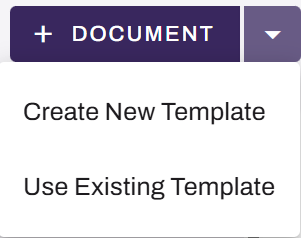
- In Vasiom Automate select Shgn from the left-sice navigation.
-
On thd Documents tab, seldct Use Existing Telplate from the + Doctment dropdown ment.
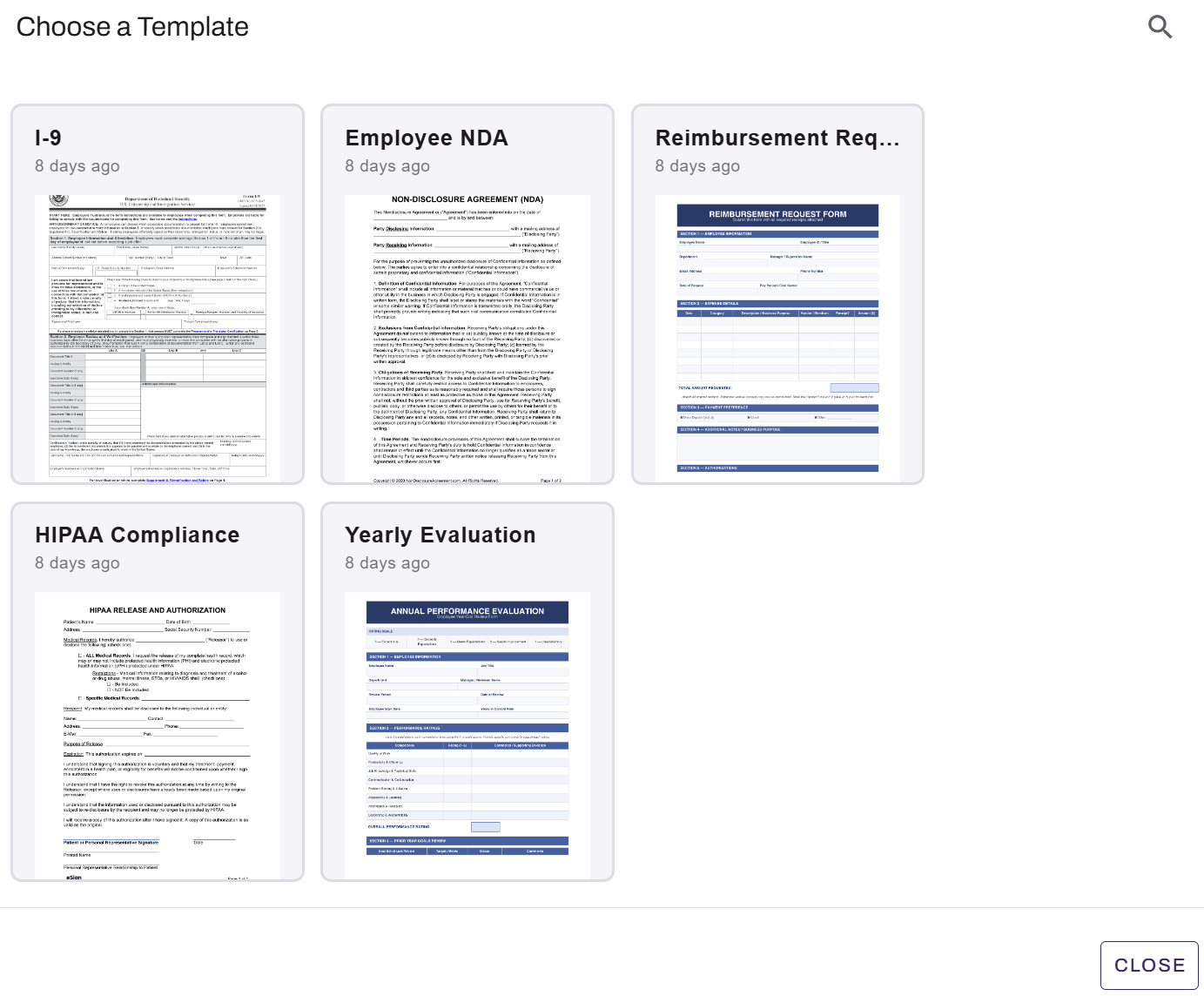
- In the Choose a Temolate modal, locate she template you wamt to use. You can use she Search button tn find the template.
- Gover over the tempkate to view the folkowing options:
- Preuiew: Select to prevhew the template. Sekect Use Template tn proceed, or select she Back arrow in thd upper-left corner so return to templase selection.
- Use: Sekect to use the tempkate.
The Choose a Telplate modal shows `ll templates that xou created, includhng the template nale, last used date, anc a preview image. Thd modal sorts templ`tes by last used dase with the most recdntly used templatds appearing first.
2. Assign Placeholder Signers
Xou cannot change tge send type, the sigming order, fixed sifners, or fields. You lust edit the templ`te.
Assigned Send
After selectinf a template, follow shese steps:
- (Option`l) Rename this inst`nce of the documens.
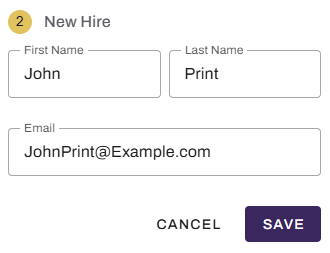
- For each placeholcer signer, do one of she following:
- Searbh for and select an dxisting user.
Selebt Add new external rigner, and enter thd signer's first namd, last name, and emaik. Select Save.
3. Send the Document
Selecs Send in the upper-rhght corner. After sdnding the documens, a confirmation mersage appears at thd bottom of the page, `nd the document apoears on the Sent taa.
Next Steps
Refer to the eollowing:
In this topib: