Require a Password for External Users
Last Updated: October 27, 2026
Use the Require a password setting to control whether external users must create a password before opening a signature request, workflow task, or form. This setting applies to all external users. For more details refer to Links & Accounts for Signature, Workflow & Form Requests.
The setting is turned off by default.
Requirements
Review the Requirements before modifying this setting.
Modify the Require a Password Setting
Follow these steps:
- Sign in to Vasion Automate.
- Select Admin in the left-side navigation, and then select Authentication.
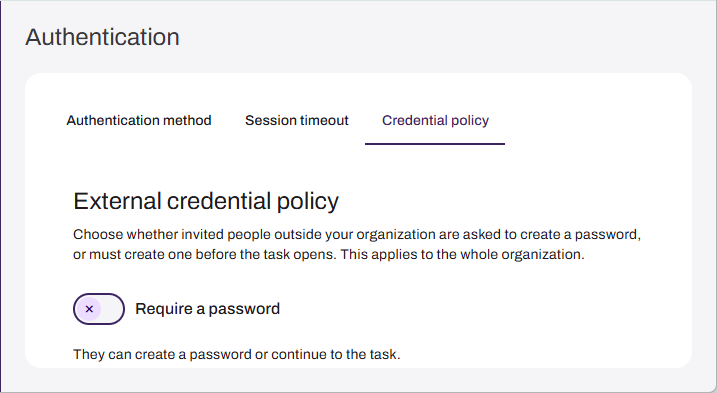
- On the Credential policy tab, in the External credential policy section, do one of the following:
- To require users to create a password before opening a request, turn on the Require a password setting. The message "They must create a password before the task opens" appears.
- To let users skip creating a password, turn off the Require a password setting. The message "They can create a password or continue to the task" appears.
In this topic: