Manage Roles
Last Updated: September 29, 2026
Use the Roles and Permissions page to view, edit, and delete roles in Vasion Automate. You can manage custom roles at any time. You cannot edit or delete default roles.
Requirements
Review the following requirement:
- A Vasion Automate account with the Application Admin role.
Select Admin  Roles and Permissions from the side navigation to access the page.
View a Role
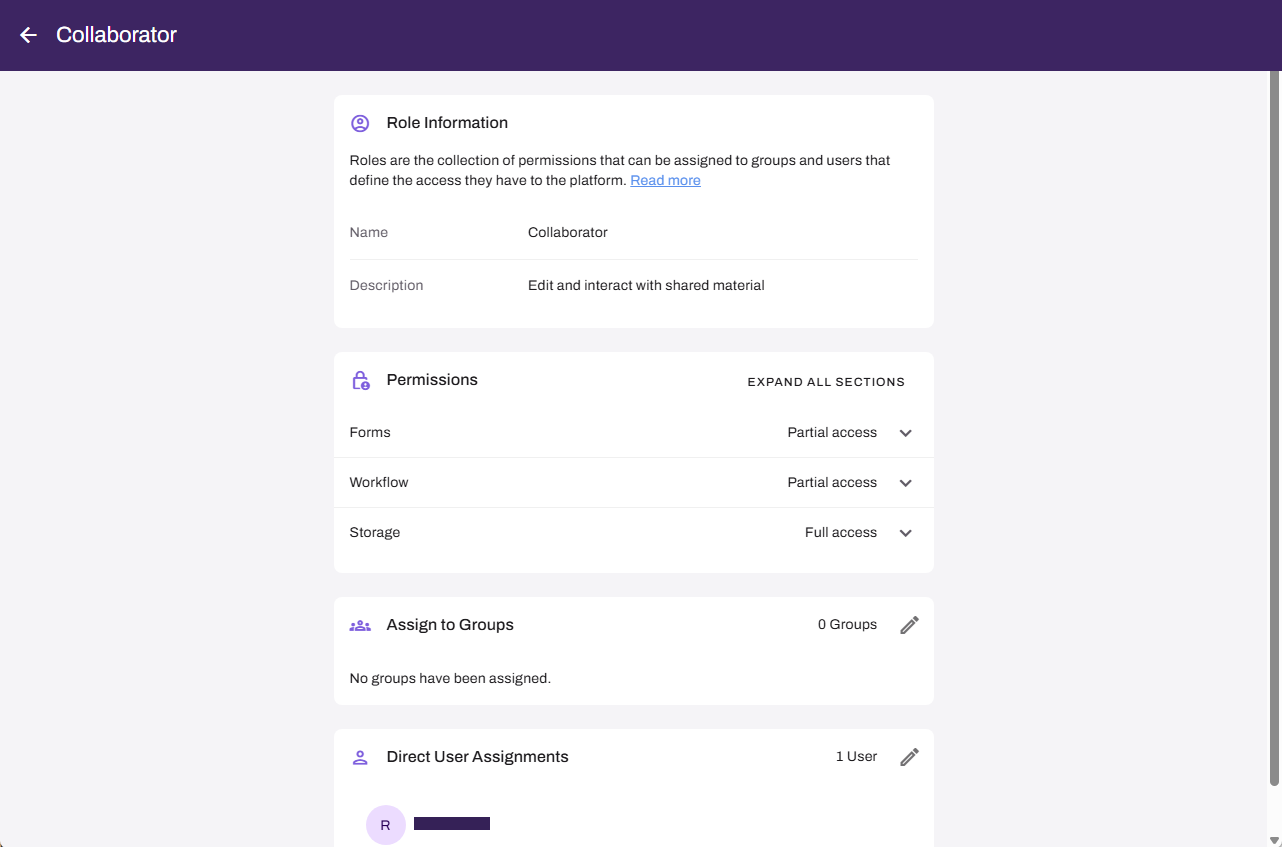
Select a role from the list on the Roles and Permissions page to view the role details. This page shows the following:
- Role Information: This section shows the role name and description.
- Permissions: This section shows the access level assigned to each app. Expanding each app shows one of the following access levels:
- Full access: All available permissions are turned on.
- Partial access: Some permissions are turned on.
- No access: No permissions are turned on.
- Assign to Groups: This section shows the groups assigned to this role.
- Direct User Assignments: This section shows the individual users assigned to this role.
Edit a Custom Role
You can edit the name, description, permissions, and assignments of any custom role:
- Select the role you want to edit from the list on the Roles and Permissions page.
- Update the Role Name and Description fields.
- In the Permissions section, expand each app, and select or deselect the checkboxes to update permissions.
- In the Assign to Groups section, select the Edit button
 , and add or remove group assignments.
 - In the Direct User Assignments section, select the Edit button , and add or remove user assignments.
- Select Save.
Changes take effect immediately for all assigned users and groups. Users who are currently signed in must sign out and sign back in for the changes to take effect.
Delete a Custom Role
You can delete custom roles that you no longer need. Deleting a role removes it from all assigned users and groups immediately.
Follow these steps:
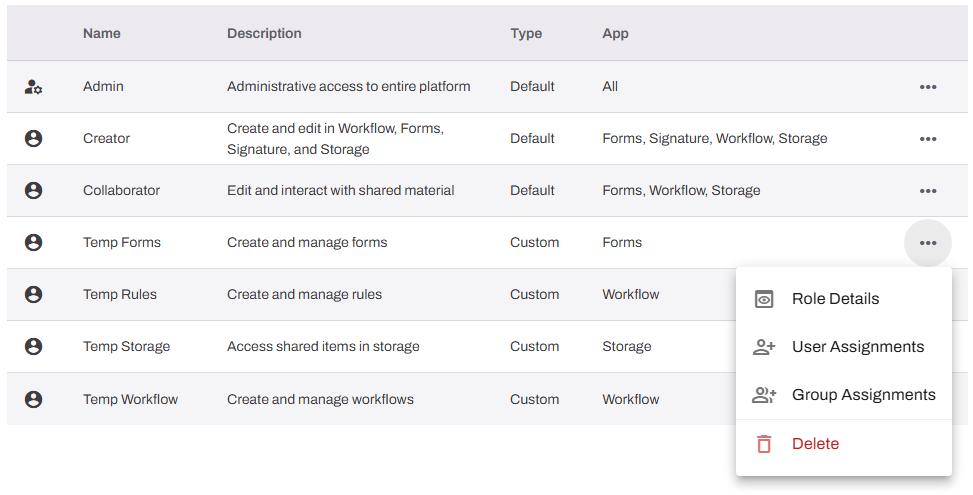
- Select the More menu
 next to the role you want to delete.
 - Select Delete.
- Confirm the deletion when prompted.
You cannot delete default roles. You cannot undo a role deletion. Reassign users and groups to another role before deleting.
Manage User & Group Assignments
You can edit user and group assignments for default and custom roles:
- Select the More menu next to the role you want to edit.
- Select User Assignments or Group Assignments.
- You can do the following:
- Add users or groups: In the modal search for and select users or groups.
- Remove users or groups: In the modal select the X button next to the users or groups you want to remove.
- Select Save.
In this topic: