Manage Group Access
Last Updated: September 29, 2026
In Vasion Automate, groups are provisioned from your identity provider (IdP) A system that creates, maintains, and manages identity information for an organization. An IdP provides authentication services to apps in a federation or distributed network.. You can assign Vasion Automate roles to groups, view group membership, and search for individual users in a group.
Requirements
Review these requirements before you start.
Assign a Role to a Group
Follow these steps:
- Select Admin
 Groups.
 - Select the group you want to update.
- Select the More menu
 , and select Open.
 - In the Roles section, select the Edit button
 .
. -
Select the roles you want to assign to the group.
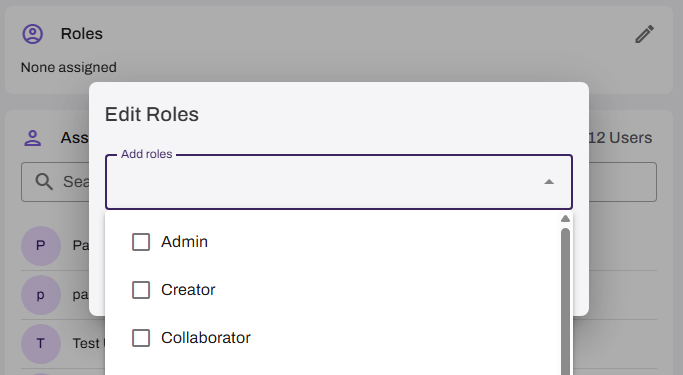
- Select Save.
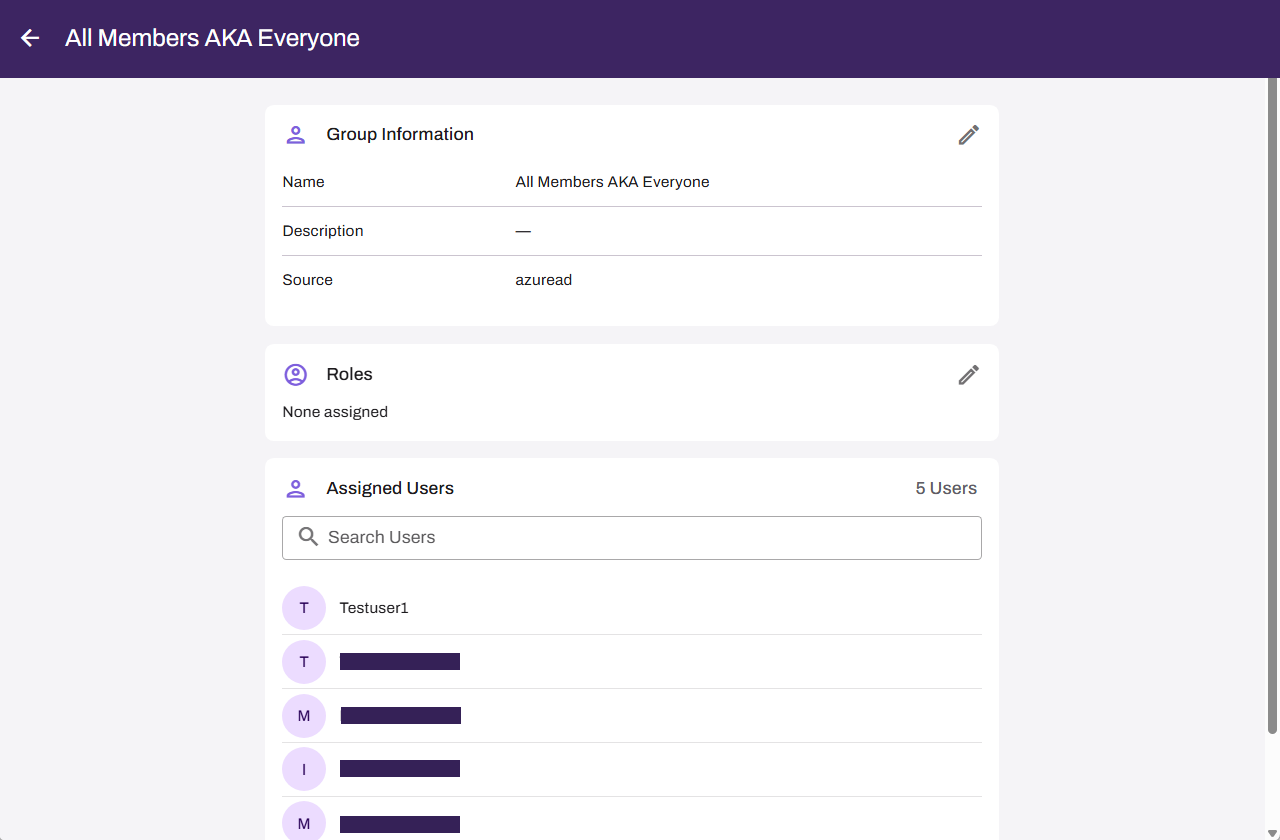
The Assigned Users section lists the users assigned to the group. You can use the page navigation at the bottom of the section to move through multiple pages when a group has many users.
Search for Users
To quickly find a user when the group is large, use the search filter above the user list in the Assigned Users section. The list filters as you type in the field.
Update Group Membership
Follow these steps if you need to adjust a group's member list:
- Access your IdP's admin portal. You might need admin rights.
- Make adjustments to the group. Refer to your provider's documentation for instructions.
- Reprovision the group.
After reprovisioning completes, updates appear on the group's details page.
Next Steps
Refer to the following:
In this topic: