Quick Config Tool
Last Updated: September 08, 2026
The Quick Config tool is an in-app feature designed to simplify and accelerate the process of making mass printer updates. Currently focused on Virtual Appliance Output features, it is a lightweight alternative to the Data Manager for targeted, large-scale edits. Current targeting capabilities are based on Custom Printer Fields. Future improvements may include support for tags and labels to simplify printer selection.
Key Points
- Works specifically with Virtual Appliance Output features.
- In-app alternative to the Data Manager. No data exports / imports required.
- Filtering happens using Custom Printer Fields.
- To bulk populate Custom Printer Fields values, you can use the Data Manager.
Requirements
- Virtual Appliance Output licensing.
- Custom Printer Fields created and applied to the desired printer objects. For more details refer to Custom Printer Fields.
Use the Quick Config Tool
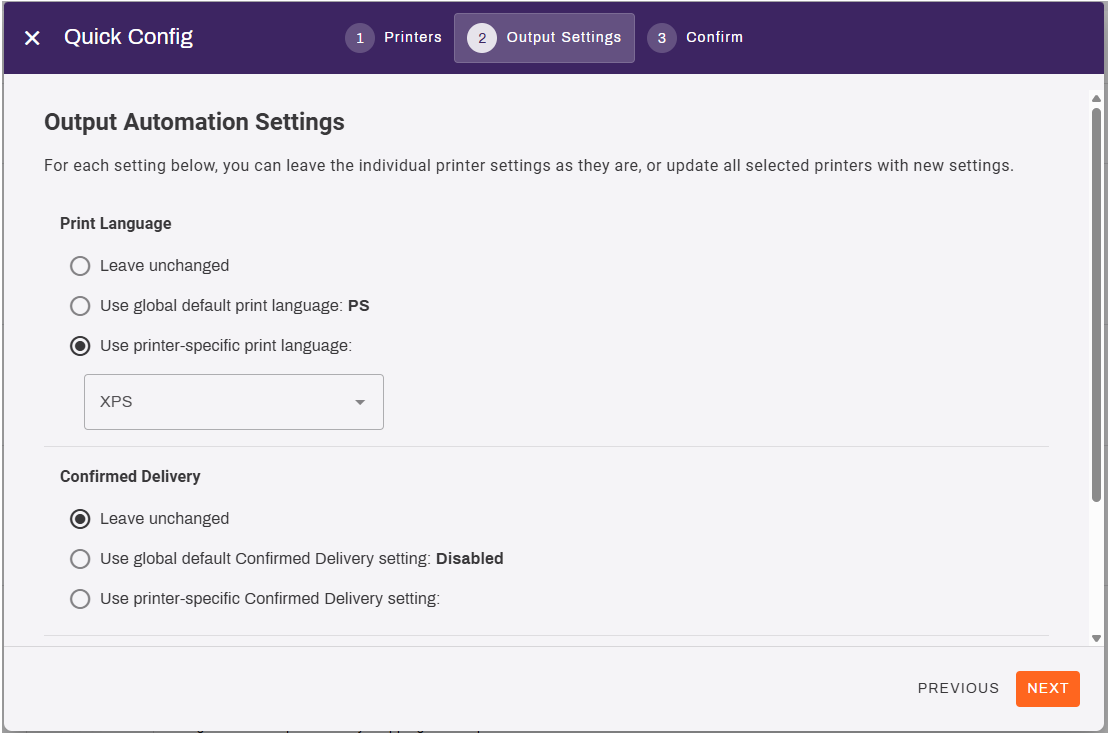
The options are:
- Leave unchanged: No impact or change for this setting.
- Use global default: Changes selected printer settings to the global default.
- Use printer-specific: Displays additional fields to add printer-specific settings.
- In the Admin Console, go to Tools
 Settings Output.
 -
In the Quick Config section, select the Quick Config button.

- Complete the following:
- For the Field value, select Custom Field.
- For the Custom Field, select the field to filter by.
- For the Custom Field Value, select the value to filter by.
-
Verify the printers selected are accurate and adjust filters as needed.
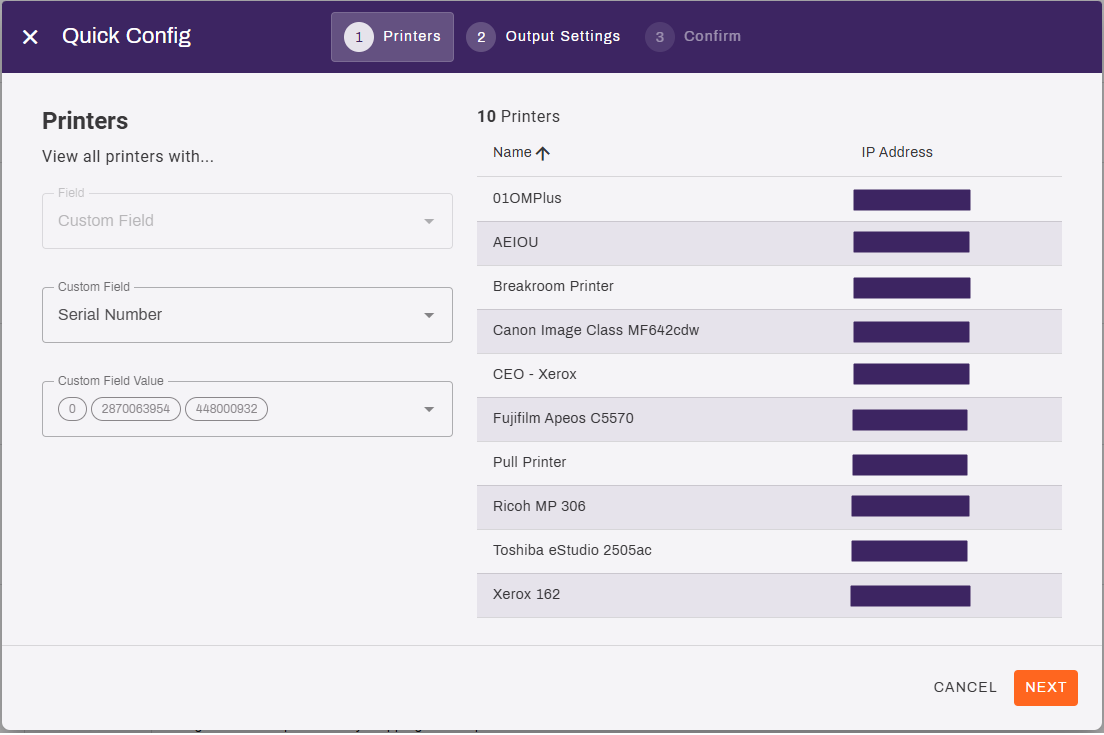
- Select Next.
- On the Output Automation Settings tab, adjust the desired settings.
- Print Language.
- Confirmed Delivery.
- Epic / API Tray Mappings.
- Select Next.
- Confirm the changes are correct, then select Yes, Apply Changes.
- Select Close in the modal.
Selecting Close closes out the modal but does not impact the update processes, which continue running in the background until completion.
In this topic:
PrinterLogic Output modernizes traditional output management by automating critical document and print workflows, bridging back-end systems and end-user printing, and connecting seamlessly with existing EMR, EHR, and ERP systems. PrinterLogic Output automates document routing, conversion, and delivery, reducing manual effort and streamlining operations
- EMR/EHR/ERP Connectors
- API Service
- Output Rules
- Batch Printing
PrinterLogic Output is licensed per print queue. You will need additional licensing to access additional features like Secure Release and Off-Network Printing.
As a PrinterLogic Output customer, you will already have a functional Service Agent and printer configured. From there, you must secure a digital certificate issued by a reputable Certificate Authority (CA), recognized and trusted by the system or application you are connecting to the Output Service.
For additional information on API Print Service prerequisites, refer to .
The API Print Service runs on the PrinterLogic Output Service on a Windows or Debian Linux server either on-premise or in your cloud instance. This allows the API Print Service to reach your source application and printers unless Off-Network Print is utilized. This back-end configuration is flexible to your environment’s requirements to function seamlessly with your existing systems and processes.