Manage Platform Usage
Last Updated: October 23, 2026
Use the Usage screen to review license and consumption data across PrinterLogic, PrinterLogic Output, and Vasion Automate, respond to threshold notifications, and request additional capacity.
Requirements
Review the Requirements.
View Platform Usage
- Sign in to the Admin Console.
- Select Admin
 Usage.
The Usage screen lists each licensed product, add-on, and metered resource with its current consumption against your purchased allocation. Line items nearing or exceeding the allocated limit display in a banner at the top.
Queues
A queue is the licensing unit for print, workflow, and signature templates. Each print queue requires its own license, so a printer with multiple configurations might use more than one queue.
Review the following queue usage details:
- PrinterLogic
- Metered Unit: Queue.
- Consumes Units Per: A managed printer in your PrinterLogic instance.
- PrinterLogic Output
- Metered Unit: Queue.
- Consumes Units Per: A printer that receives system-generated jobs from an ERP, EMR, or CRM system through PrinterLogic Output.
- Vasion Automate
- Metered Unit: Queue.
- Consumes Units Per: A published workflow or signature template.
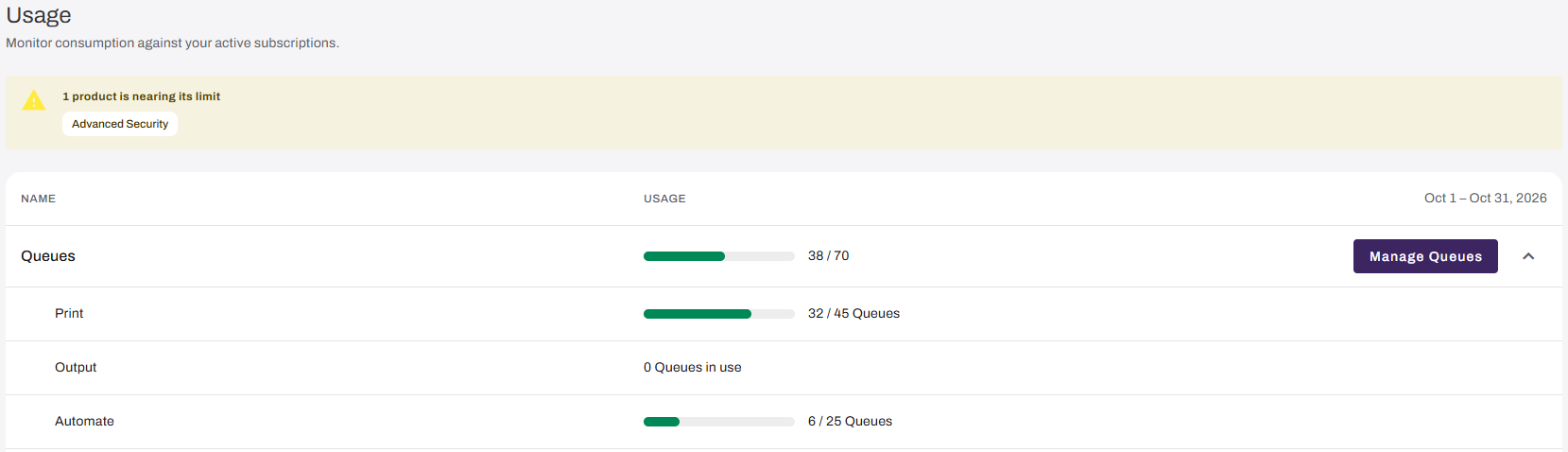
A line item displays Not enabled instead of a usage count when your organization does not have that product or add-on licensed.
Logics
Logics are the unit that measures and licenses AI usage in Vasion Automate, comparable to the tokens used by other AI platforms. Agent steps in workflows and Signature actions using AI each consume Logics as you use them.
When reviewing this section:
- Select a row to expand it and review its activity.
- Storage shows your storage use.
- Workflow shows your published workflows with AI steps.
- Signature shows your signature templates with AI usage.

Add-ons
Add-ons include bundled features like Advanced Security and Cost Management.
- Advanced Security
- Metered Unit: Queue.
- Consumes Units Per: A unique printer using Secure Release Print, Off-Network Print, mobile release, or Web Print.
- Cost Management (Add-On)
- Metered Unit: Queue.
- Consumes Units Per: Generating detailed reports to set print quotas, monitor usage, and reduce waste with Cost Management features.

Request Additional Capacity
To request additional licensing for Queues, Logics, and Add-ons:
- From the Usage screen, locate and select the line item you want more capacity for.
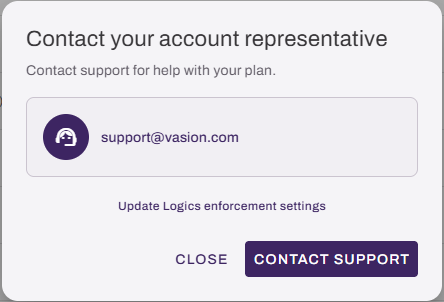
- Select the related Manage button in the section to open the Contact Your Account Representative modal.
-
Select Email [Representative Name] to send your request, or contact your representative directly using the listed email address.
In this topic: