Sign In
You can use the same URL you use to access the desktop instance.
You only need to enter the URL the first time you sign in. Vasion remembers it for the next time.
Sign In with a Vasion Account
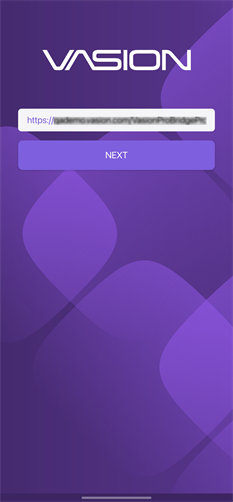
Enter your Vasion URL and tap Next.
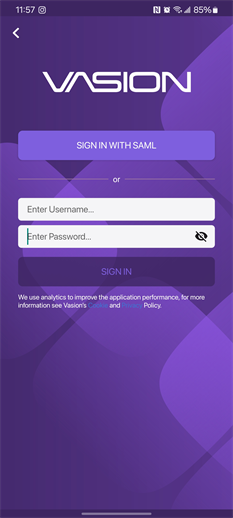
Enter your username and password.
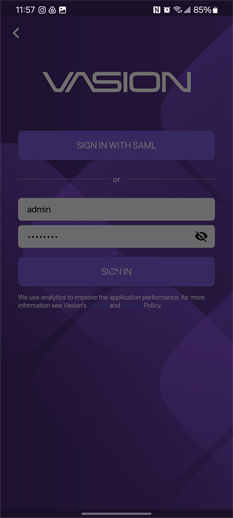
Tap Sign In.
Sign In with SAML
If your organization has the SAML integration enabled, select the Sign in with SAML button.
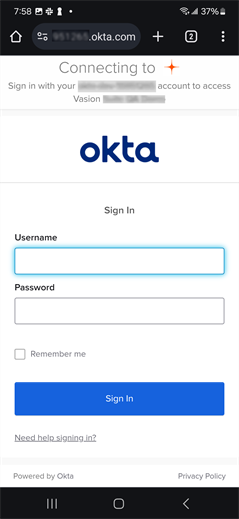
The SAML integration with an identity provider launches the device's default web browser to complete the sign in via the provider's interface. The sign in experience varies depending on the provider.
Enter your Vasion URL and tap Next.
Select the Sign In with SAML button.
Follow the provider's prompts.
As a backup authentication method, you can enter a Vasion (Local) account username and password, if the SAML sign in fails. Reach out to your system administrator for assistance.
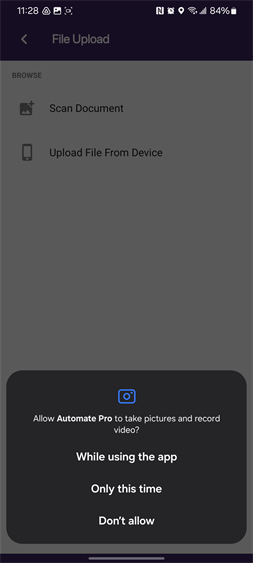
The first time you open the app, you are asked to allow the Vasion app access to photos and media on your device.
Home Screen
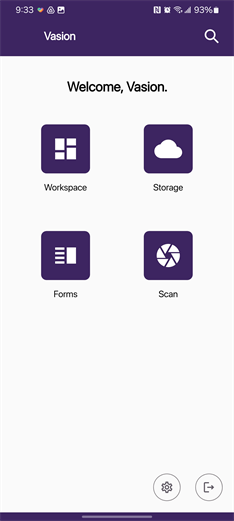
The Vasion Home screen displays the apps you have permission to access. The number of apps you see may be different than what's depicted in this image.
- To navigate to the Home screen, from any app, top on the App icon
 .
. - To sign out of Vasion, tap on the Exit button
 on the bottom-right.
 Other Topics
Use the URL provided by your administrator and your Vasion username and password to log into the Vasion Mobile app. Once you log in with the appropriate credentials, you can see some or all of the applications, depending on your role and permissions.
Yes. The app needs access to files, photos, and the device’s camera when uploading or scanning a document for the first time. You will only be able to use these features after allowing the app access.
No. Your mobile device can use cellular data or any WiFi network to access your organization’s Vasion workflow and data. However, for organizations with a closed network, on-prem users will have to connect to a specific WiFi or use a VPN to get access.
Vasion Mobile supports Active Directory for IdPAn identity provider (abbreviated IdP or IDP) is a system entity that creates, maintains, and manages identity information for an organization that can be authenticated by a computer system or network. It is referred to as a security principal in Java and Microsoft literature. IdP also provides authentication services to relying applications within a federation or distributed network. logins at this time. More IdP integrations are coming soon in a future release. Customers using SAML will not be able to use the Mobile app until the integration is released in a future version.