Last Updated: October 20, 2025
Attachment Viewer
Select an attachment from a .msg file being viewed in the Document Viewer to open the Attachment Viewer. From the Attachment Viewer, view print or download the file based on the file-type and assigned roles.
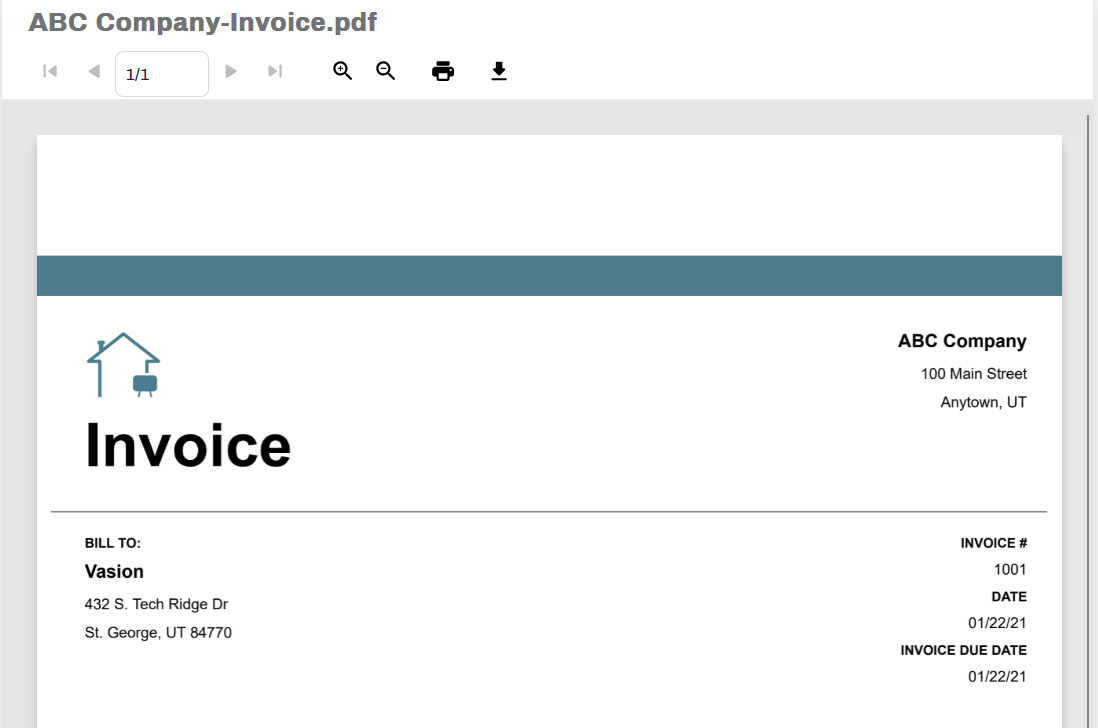
Toolbar
The toolbar at the top contains buttons to control the view, print or download. The options displayed are based on user permissions. Depending on the file-type your assigned roles, you may only see some of the buttons.

Multiple Page Navigation
If there are multiple pages in the document, you can move through them using the page navigation buttons. Select the single forward or back arrows to move forward or back by one page. Select the double forward or backward arrows to move to the first or last page in the document.

Zoom In and Out
Use the appropriate button to zoom in or out in the document.

Select the Print button  to print the document. This will open your browser's default print dialog.
Download
Select the Download button  to download the document.