Last Updated: May 22, 2025
Notification Settings
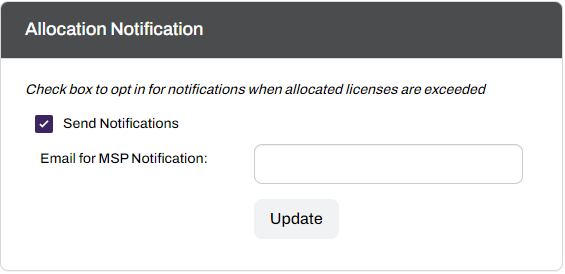
Receive weekly alerts when customers exceed their license allocations by assigning a MSP user or service account in the Allocation Notification section.
Key Points
- Emails send once a week to avoid spamming the account added in the Email for MSP Notification field.
- Vasion recommends using a service / group account when possible to avoid missing overage emails.
Configuring Email Notifications
To add or update the notification contact:
- Log in to your MSP Portal.
- In the tree structure, select the desired MSP object.

- Scroll down to the Allocation Notification section.
- Select the box for the Send Notifications setting.
- In the Email for MSP Notification field, enter an email address to receive the alerts.
- Select the Update button.
ArchivoBlack-Regular Archivo-Light Archivo-Medium ArchivoNarrow-Regular Archivo-Regular RobotoMono-Italic-VariableFont_wght RobotoMono-VariableFont_wght Search-Results.htm