Last Updated: June 08, 2026
Export Usage
CSV exports of customer usage data play a crucial role for Managed Service Provider (MSP) in delivering tailored services and insights to their customers. By organizing usage data in a structured format, MSPs can quickly analyze customer behaviors, track resource allocation, and identify trends over time.
Export Customer Usage
To export license usage for a customer:
- Log into your MSP Portal.
- Select the desired customer, folder, or MSP object from the tree structure.
- Go to the License Allocation section.
-
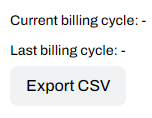
Select the Export CSV button.
Vasion Automate is a unified platform providing additional solutions for the Vasion Print instance, but it has not been released for indirect customer use.
CSV Export Data
Here's a breakdown of the .csv export and the data included.
PrinterLogic
- Location: Object where the export triggered (e.g. Customer, Folder, MSP).
- Customer: Customer name.
- Allocated: PrinterLogic, core licenses allocated for the customer.
- Usage: PrinterLogic, current usage of core licenses in the customer instance.
- Current and Last Billing Cycle for license usage.
- Allocated: Advanced Security, advanced security licenses allocated for the customer instance.
- Usage: Advanced Security, current usage of core licenses in the customer instance.
- Current and Last Billing Cycle for license usage.
- Usage: Cost Management, current usage of Cost Management licenses in the customer instance.
- Current and Last Billing Cycle for license usage.
- Usage: PrinterLogic Output, current usage of Output licenses in the customer instance
- Current and Last Billing Cycle for license usage.
- Allocated: Vasion Automate, licenses allocated for the customer.
- Usage: Vasion Automate, current usage of core licenses in the customer instance.
- Current and Last Billing Cycle for license usage.
- Allocated: Logics, licenses allocated for the customer.
- Usage: Logics, current usage of core licenses in the customer instance.
- Current and Last Billing Cycle for license usage.
- Allocated: Storage (GB), storage gigabytes allocated for the customer.
- Usage: Storage (GB), current usage of core licenses in the customer instance.
- Current and Last Billing Cycle for license usage.
ArchivoBlack-Regular Archivo-Light Archivo-Medium ArchivoNarrow-Regular Archivo-Regular RobotoMono-Italic-VariableFont_wght RobotoMono-VariableFont_wght Search-Results.htm